PFLB platform speaks for itself. It takes only 15 minutes for a first test.
Go back to all releases
 Previous
Report improvements and updates to JMX and HAR imports
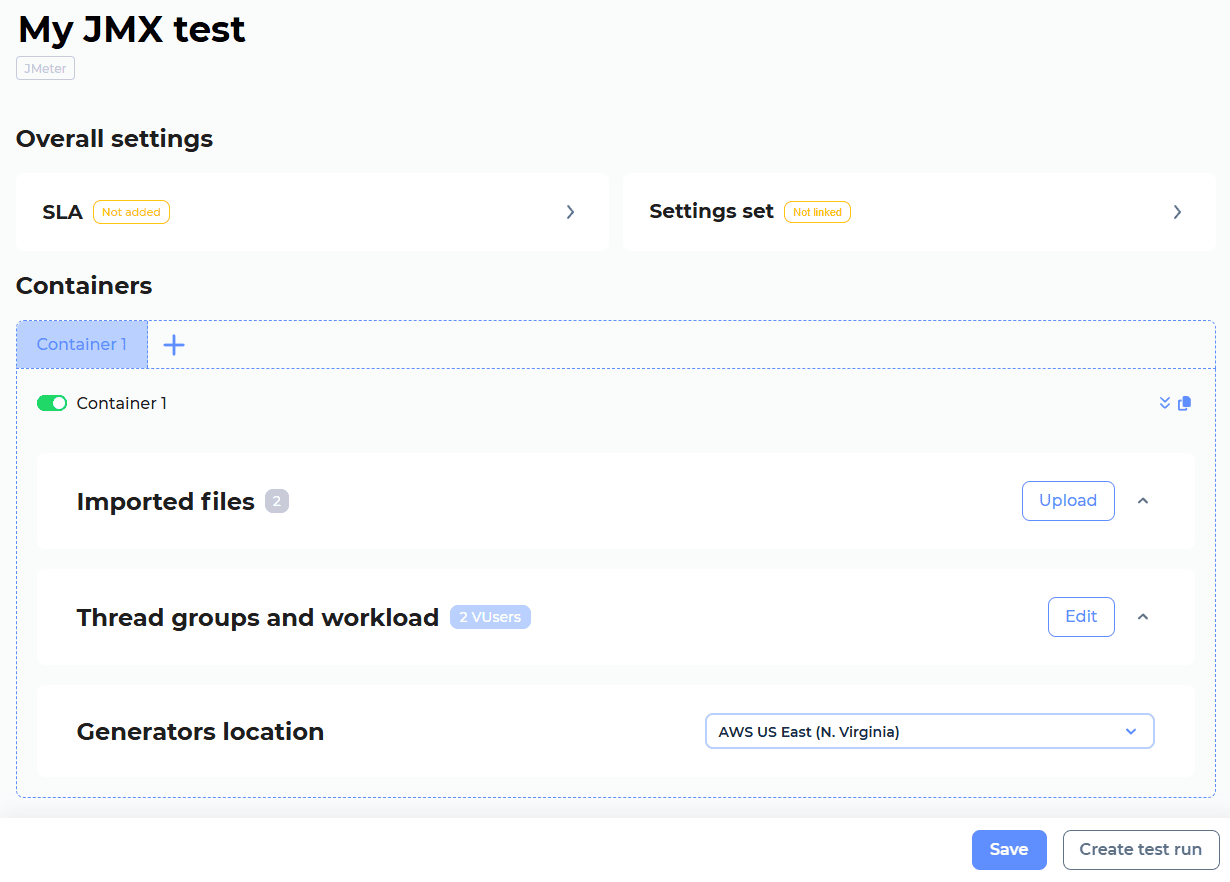
Run multiple JMX scripts in a single test
Cloud
You can now import multiple JMX scripts into your test. The platform automatically creates a dedicated container for each script, where you can individually configure the load profile and other settings.
Key benefits:
- Extreme load generating: Easily create maximum stress conditions by duplicating containers running the same script.
- Unified Monitoring: Monitor your entire application’s performance from a single, unified Grafana dashboard. No more juggling multiple tests or correlating data from separate dashboards. Simply import all your scripts into one test, and the PFLB Platform will automatically generate a consolidated dashboard for it.
- Geo-Distributed Traffic Simulating: Ensure realistic cloud testing by simulating user traffic from different geographic locations. You can specify a unique load generation region for each container.
For more information, see Import your JMeter test.
Generate reports by AI
Cloud
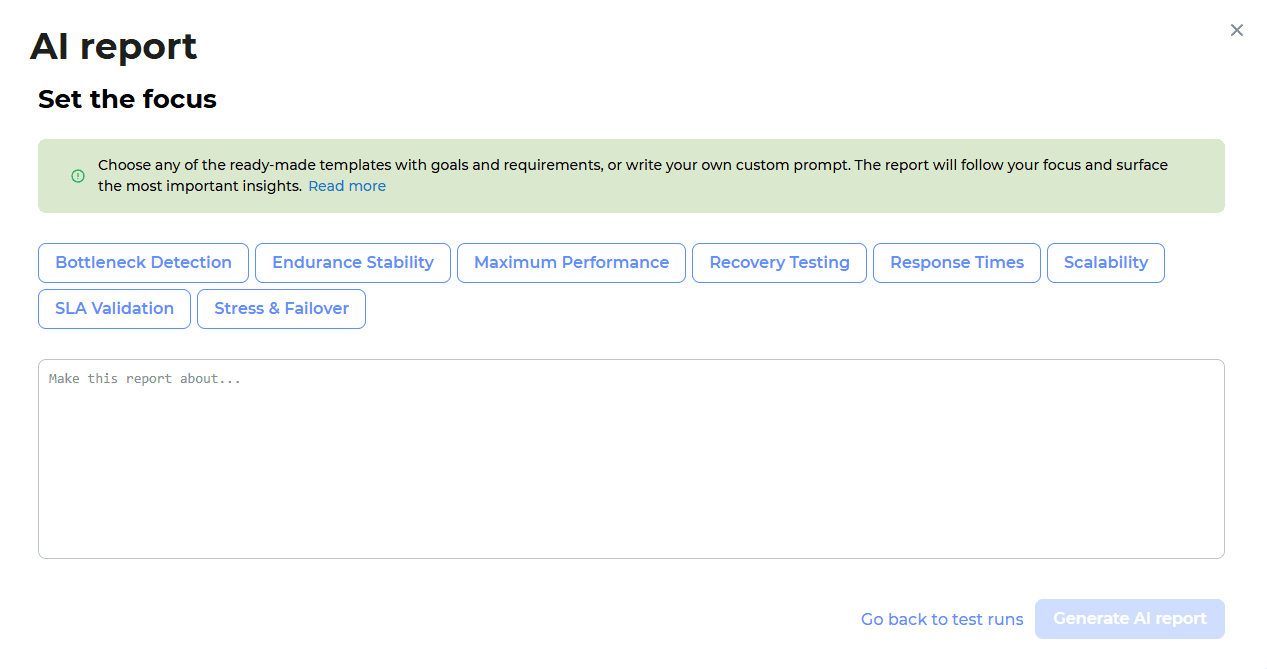
Our AI reports just got an upgrade:
1. New AI Prompt Options: begin report generation by selecting pre-built templates with defined goals and requirements, or write your own custom prompt for complete control.
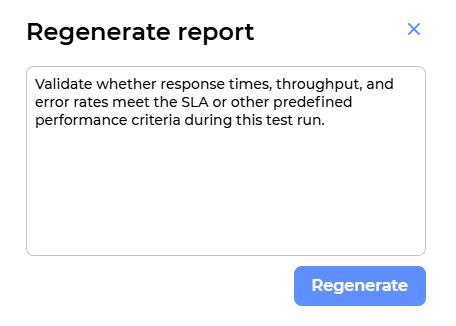
2. Refine AI reports: If the generated report doesn’t fully meet your needs, you can write your prompt with more specific instructions and regenerate the report for better-targeted analysis.
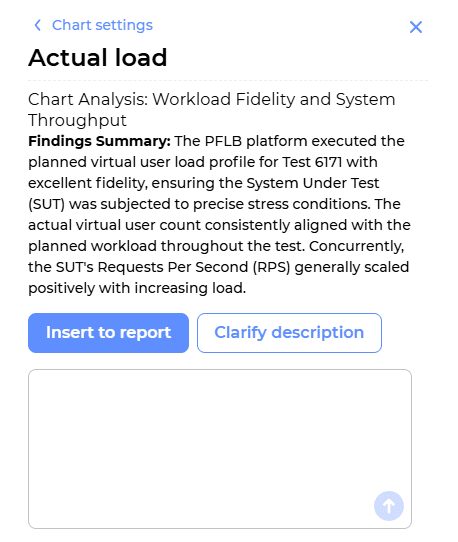
3. Generate & improve chart descriptions: Use AI to create descriptions for any PFLB chart. If the first result isn’t perfect, clarify what you’re looking for in the AI Chat to get an improved version.
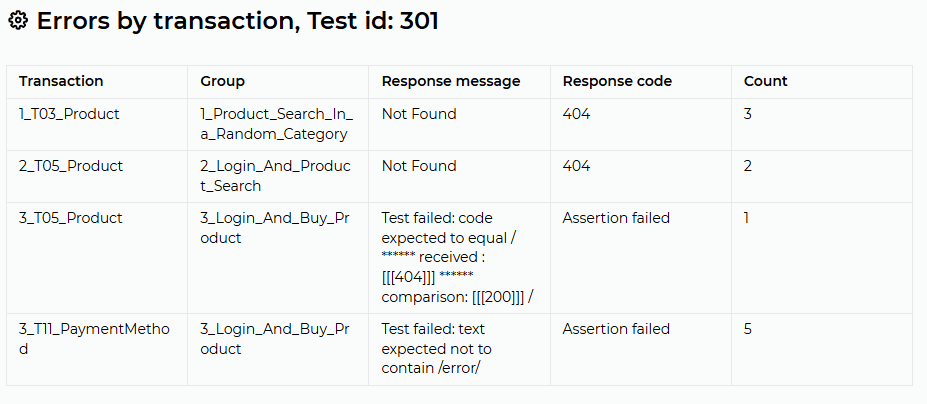
4. New error analysis table: See all errors for the test and individual transactions in one place.
5. Better charts: Improved accuracy in chart construction for clearer data visualization.
6. Deeper analysis: Enhanced test statistics analysis provides more detailed and actionable conclusions.
7. Faster results: Reduced report generation time, so you get your insights quicker.
Analyze custom system metrics in reports
Cloud
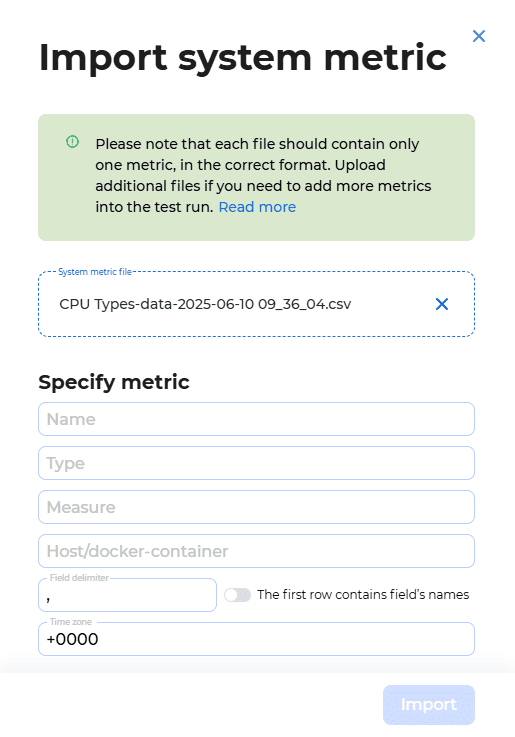
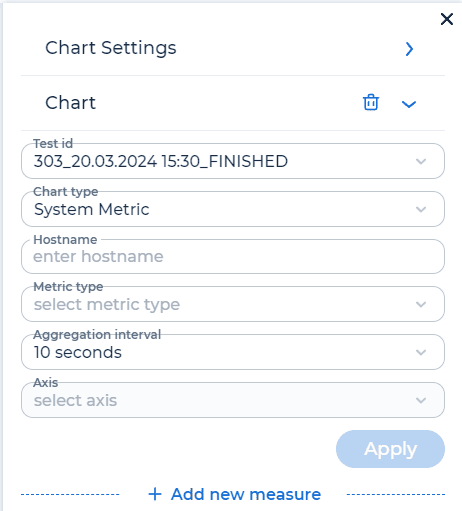
With the new version PFLB Platform, You can now import and analyze custom system metrics from any third-party tool directly within your PFLB Platform reports.
You only need to take two steps:
1. Upload the system metrics from your external source into the test run.
2. Configure the PFLB chart in the report.
Try it now!
Filter hosts during HAR import
Cloud Enterprise
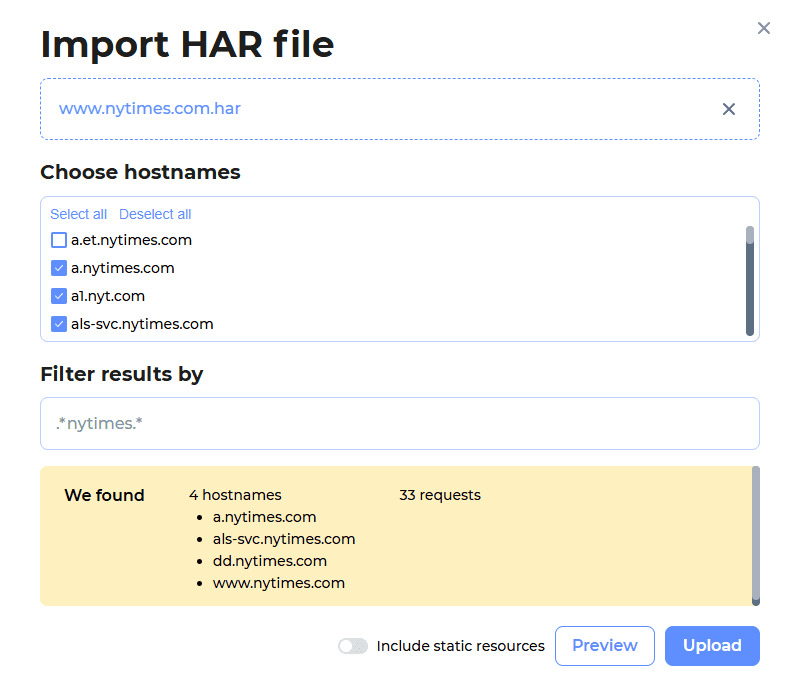
Import HAR files faster and more convenient with our new host filtering options. You now have full control to include only the requests you need.
You can now quickly enable or disable requests to static resources, manually select necessary hosts, or filter the host list using a regular expression. For more information, see Filter HAR.
Report generation with AI