


Software rarely fails because one test was missed. More often, problems appear because teams use the wrong testing approach, apply it too late, or rely on techniques that do not match the product they are building. That is why understanding QA testing methodologies and techniques matters so much for modern software teams.
Implementing the right QA methodologies reduces late-stage defects and makes testing outcomes more reliable.
For QA engineers, developers, DevOps teams, and product managers, knowing how testing methods fit into the software lifecycle helps make better decisions earlier. This piece covers the main testing methodologies used in Waterfall, Agile, and DevOps environments, along with core concepts such as static vs dynamic testing, functional vs non-functional testing, and widely used test design approaches.
The focus here is on practical understanding rather than tool setup. In our experience at PFLB, teams see better quality outcomes when they choose testing methods based on project risk, delivery model, and system complexity, instead of treating QA as a final step before release.
Understanding QA Testing Methodologies
A testing methodology is the structured approach a team follows to plan, design, execute, and evaluate testing activities throughout the software development lifecycle. Rather than treating testing as a final step before release, testing methodologies integrate quality checks into different phases of development. The goal is simple: detect defects earlier, reduce risk, and ensure the software behaves as expected when it reaches users.
Well-defined software quality assurance methodologies help teams organize testing responsibilities, determine when tests should run, and decide which techniques are appropriate for each stage of development. They also create consistency across teams, which is especially important for large projects where developers, testers, and product stakeholders must coordinate their work.
Over time, several major testing methodologies have emerged, each suited to different development environments and project needs.
| Methodology | Best Fit | Main Strength | Main Limitation |
|---|---|---|---|
| Waterfall | Fixed-scope projects | Clear structure | Testing happens late |
| V-Model | Regulated or high-risk systems | Early test planning | Less flexible |
| Agile | Fast-changing products | Continuous feedback | Needs close teamwork |
| DevOps / Continuous Testing | CI/CD environments | Fast automated checks | Needs mature automation |
| Risk-Based Testing | Large or complex systems | Focuses on critical areas | Lower-risk areas get less attention |
| Shift-Left Testing | Teams testing early in SDLC | Finds issues sooner | Requires early QA involvement |
| Exploratory / Ad-Hoc | Uncovering unexpected issues | Flexible and creative | Harder to measure |
Waterfall Model
The Waterfall model is one of the earliest structured software development approaches. It follows a linear sequence of phases: requirements, design, development, testing, and deployment. In this model, testing usually happens after the development phase is complete.
Because requirements are defined early and rarely change, Waterfall works best for projects with clear specifications and predictable scope. Testing teams typically focus on validating that the finished system meets the original requirements.
However, this approach has limitations. When defects are discovered late in the cycle, fixing them can require significant rework. As a result, many organizations now combine Waterfall-style planning with earlier testing activities to avoid late-stage surprises.
V-Model (Verification and Validation)
The V-Model, also called the Verification and Validation model, expands on Waterfall by aligning testing activities with each stage of development. Instead of waiting until the end of development, testing is planned alongside design and implementation.
For example:
- Requirements correspond to acceptance testing
- System design aligns with system testing
- Architecture design maps to integration testing
- Code implementation connects to unit testing
This structure encourages early test planning and clearer traceability between requirements and validation activities.
Because of its structured nature, the V-Model is commonly used in industries where reliability is critical, such as finance, healthcare, and embedded systems.
Agile and Iterative Testing
As software development moved toward faster delivery cycles, Agile methodologies introduced a more iterative approach to testing.
Instead of waiting for a complete product, testing occurs continuously within short development cycles known as sprints.
In Agile environments, testers work closely with developers and product owners. Test cases are often written alongside user stories, and automated tests help ensure that new features do not break existing functionality. This continuous feedback loop allows teams to detect issues earlier and adapt to changing requirements.
Agile testing also emphasizes collaboration. Quality becomes a shared responsibility among developers, testers, and product teams rather than belonging to a single role.

DevOps and Continuous Testing
The rise of DevOps practices further accelerated testing by integrating it into automated delivery pipelines. In this model, testing becomes part of continuous integration and continuous delivery (CI/CD) workflows.
Automated test suites run whenever code changes are committed. Unit tests, integration tests, and performance checks can execute automatically, giving teams immediate feedback on potential issues. This approach is often referred to as continuous testing.
A key principle behind this model is the shift-left testing approach, which moves quality checks earlier in development. By running tests during coding and integration rather than waiting until later stages, teams reduce the risk of large defects accumulating over time.
Risk-Based Testing
Not all parts of an application carry the same level of risk. Risk-based testing prioritizes testing activities based on the likelihood and potential impact of failures.
Critical components, such as payment systems, authentication mechanisms, or data processing pipelines, receive deeper and more frequent testing. Lower-risk features may require lighter validation.
This methodology is particularly useful in complex systems where testing every possible scenario would be unrealistic due to time or resource constraints.
Shift-Left Testing
The shift-left testing approach focuses on introducing quality activities as early as possible in the development lifecycle. Instead of waiting until the coding phase ends, teams perform activities such as requirement validation, static code analysis, and unit testing early in development.
Shift-left practices help uncover design flaws, requirement misunderstandings, and code issues before they grow into expensive defects. Early detection significantly reduces the cost and effort required to fix problems.
Exploratory and Ad-Hoc Testing
While structured methodologies provide stability, some issues only appear during unscripted testing. Exploratory testing techniques allow testers to interact with the application freely while learning about its behavior.
During exploratory sessions, testers design and execute tests simultaneously, relying on experience and intuition to investigate unusual scenarios. Ad-hoc testing is even less structured and focuses on quickly probing areas where defects might appear.
These approaches complement formal testing strategies by uncovering issues that automated scripts or predefined test cases may miss.
Why Methodologies Matter
Choosing the right testing methodology helps teams align testing activities with their development process. A startup building a rapidly evolving product may rely on Agile and continuous testing, while a regulated system might benefit from the structured traceability of the V-Model.
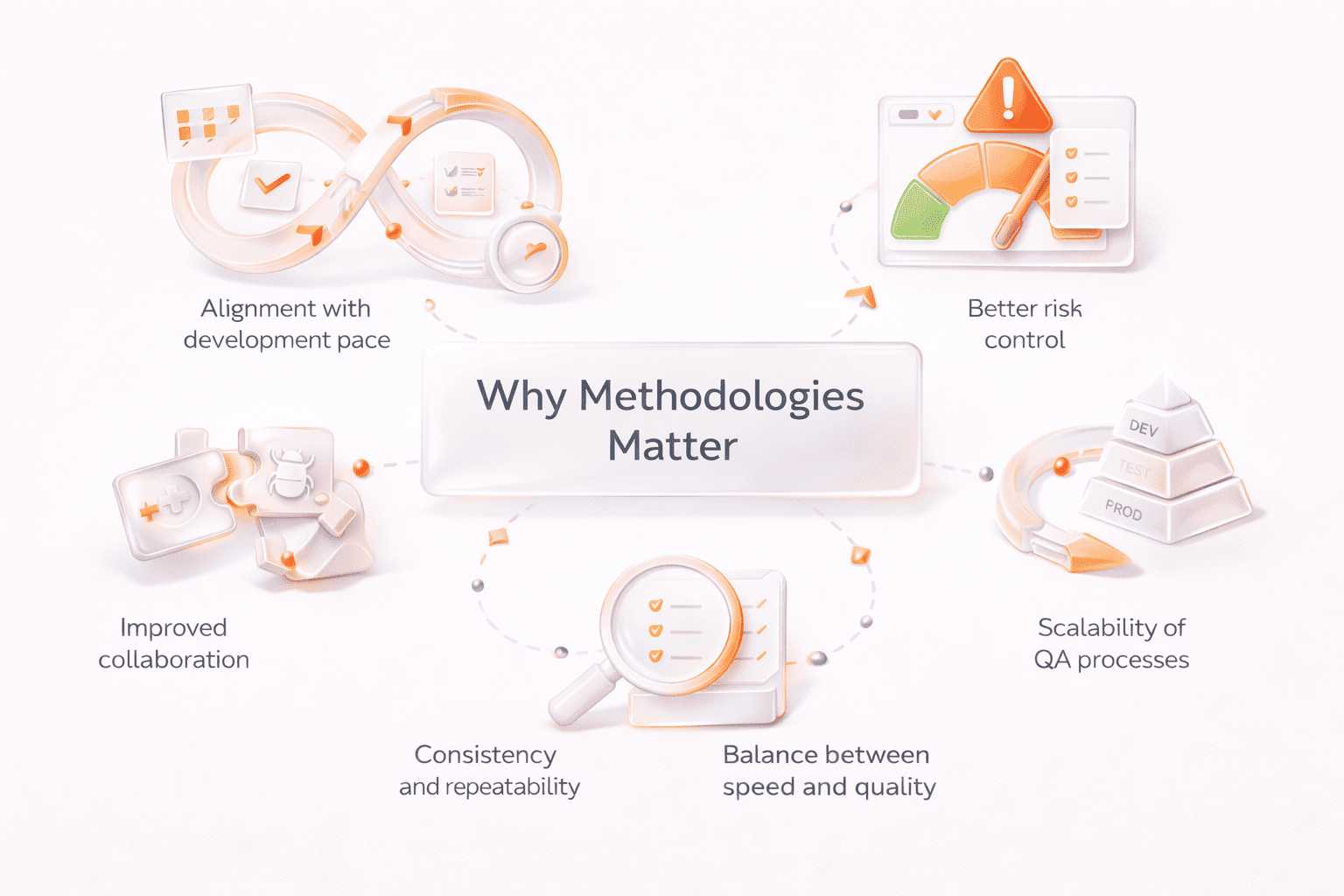
In practice, many organizations combine multiple methodologies. Structured planning, risk-based prioritization, exploratory testing, and continuous automation can work together to create a balanced QA strategy that supports both speed and reliability.
Static vs Dynamic Testing
One of the most fundamental distinctions in QA testing methodologies and techniques is the difference between static vs dynamic testing. These two approaches focus on different stages of software quality evaluation and help teams identify different types of defects.
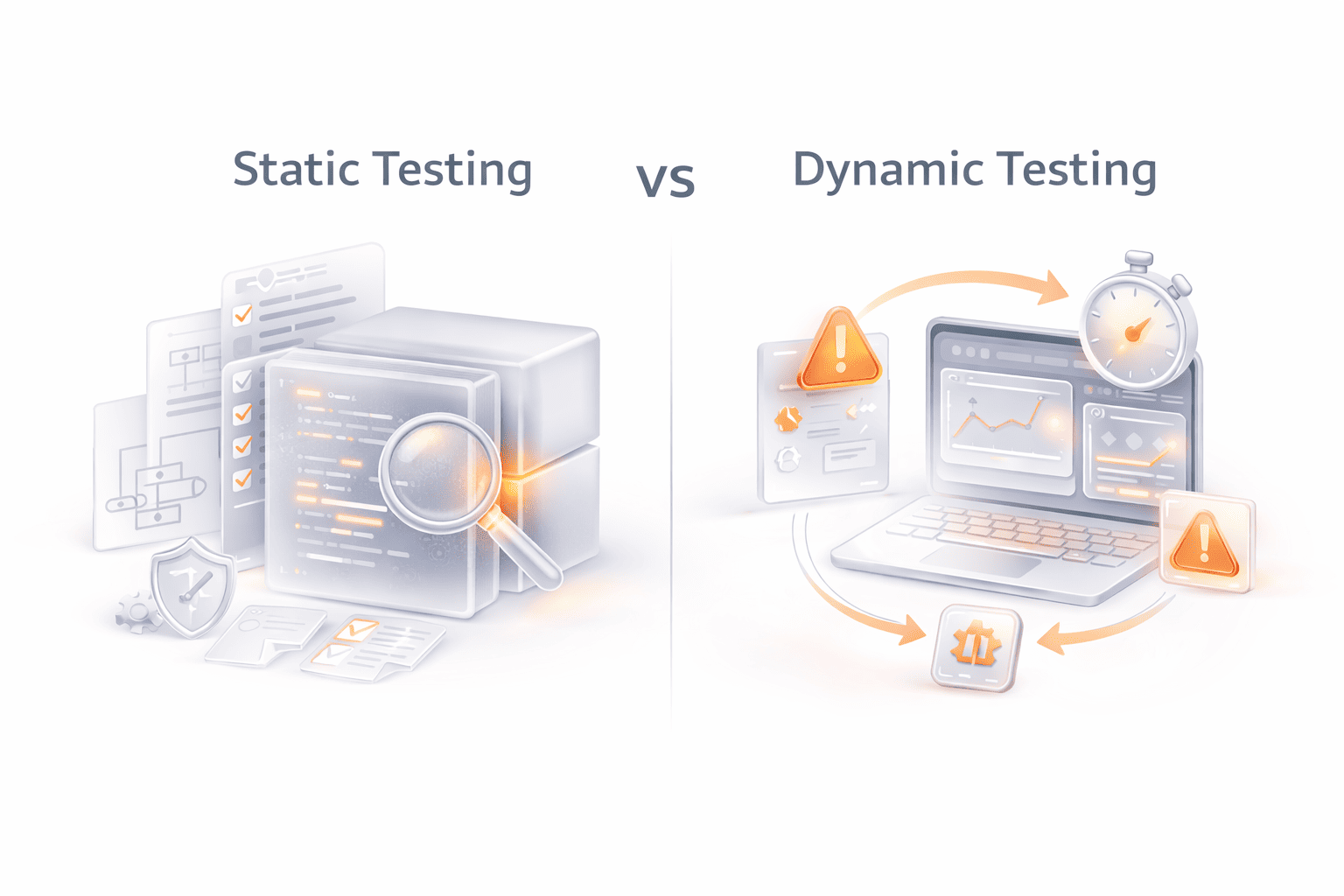
Static testing examines software artifacts without executing the program. Instead of running the application, reviewers analyze documentation, requirements, architecture, or source code to detect issues early. The goal is to find problems before they reach the execution stage, where fixing them usually becomes more expensive.
Common static testing techniques include:
- Code reviews, where developers or QA engineers inspect source code for logic errors, maintainability issues, and potential defects
- Walkthroughs, where team members step through requirements or designs together to ensure shared understanding
- Formal inspections, structured review sessions used to identify defects in design or documentation
- Static code analysis tools, which automatically scan code to detect security vulnerabilities, style violations, or potential runtime issues
Because static testing occurs early in the development lifecycle, it plays an important role in shift-left testing approaches. Detecting design flaws or requirement misunderstandings early helps reduce costly rework later in the project.
In contrast, dynamic testing evaluates software by executing the program and observing how it behaves at runtime. Testers interact with the application, run test cases, and analyze system responses to determine whether the software behaves as expected.
Dynamic testing includes several layers of validation, such as:
- Unit testing, which verifies individual components or functions
- Integration testing, which checks interactions between modules
- System testing, which evaluates the entire application in a production-like environment
- Acceptance testing, which confirms that the system meets business requirements
While static testing focuses on code structure and documentation quality, dynamic testing focuses on actual system behavior. Each approach reveals different types of defects. Static testing often identifies issues such as missing requirements, inconsistent logic, or coding errors, while dynamic testing uncovers runtime failures, performance issues, and incorrect functionality.
In practice, effective QA strategies combine both approaches. Static testing helps prevent defects early in development, while dynamic testing validates how the application performs when it is running. Together, they provide a more complete view of software quality and reliability.
Key Differences Between Static and Dynamic Testing
| Aspect | Static Testing | Dynamic Testing |
|---|---|---|
| Execution | No code execution required | Requires running the application |
| Focus | Code structure, design, and documentation | Runtime behavior and system functionality |
| When it occurs | Early stages of development | During test execution phases |
| Common methods | Code reviews, inspections, static analysis | Unit, integration, system, and acceptance tests |
| Main benefit | Detects defects early | Validates real system behavior |
Functional vs Non-Functional Testing
Another important distinction in QA testing methodologies and techniques is the difference between functional vs non-functional testing. Both play a critical role in verifying software quality, but they focus on different aspects of the system.
Functional testing evaluates whether the software behaves according to its specified requirements. In other words, it answers the question: Does the system do what it is supposed to do? Testers validate individual features, workflows, and outputs against the expected results defined in the requirements or user stories.
Common forms of functional testing include:
- Unit testing, which checks individual components or functions in isolation
- Integration testing, which verifies how modules interact with each other
- System testing, which evaluates the behavior of the complete application
- Acceptance testing, where the product is validated against business requirements before release
- Regression testing, which ensures that new changes do not break existing functionality
These tests confirm that features such as login processes, payment workflows, or data processing behave correctly.
While functional testing verifies what a system does, non-functional testing evaluates how well the system performs under different conditions. It focuses on quality attributes that affect user experience, reliability, and operational stability.
Typical non-functional testing areas include:
- Performance testing, which measures how the system behaves under load, stress, or peak usage
- Security testing, which identifies vulnerabilities and verifies protective mechanisms
- Usability testing, which evaluates how easily users can interact with the system
- Compatibility testing, ensuring the application works across different devices, browsers, or environments
- Reliability and stability testing, which examines how consistently the system performs over time
For example, a payment system might pass functional tests by correctly processing transactions. However, without performance testing, the same system could fail when thousands of users attempt to pay at the same time.
In our experience at PFLB, teams often prioritize functional validation during early development stages but gain the most value when performance testing methods and other non-functional checks are integrated earlier in the lifecycle. This helps detect scalability or reliability issues before the application reaches production.
Key Differences Between Functional and Non-Functional Testing
| Aspect | Functional Testing | Non-Functional Testing |
|---|---|---|
| Focus | Validates system features and functionality | Evaluates system performance and quality attributes |
| Main Question | Does the system work as intended? | How well does the system perform? |
| Examples | Unit, integration, system, acceptance testing | Performance, security, usability, compatibility testing |
| Goal | Ensure requirements are met | Ensure stability, scalability, and user experience |
Together, functional and non-functional testing provide a balanced view of software quality. One confirms that features work correctly, while the other ensures the system performs reliably in real-world conditions.
Black Box, White Box, and Grey Box Testing Techniques
Another important group of QA testing techniques focuses on how much knowledge the tester has about the internal structure of the software. The three most common approaches are black box testing, white box testing, and grey box testing. Each method provides a different perspective on software behavior and helps uncover different types of defects.

Black Box Testing
Black box testing evaluates the functionality of a system without examining its internal code structure. Testers interact with the application as end users would, focusing on inputs, outputs, and system behavior.
The goal is to verify whether the application behaves according to requirements rather than how the system is implemented internally.
Common black box testing techniques include:
- Equivalence partitioning, which divides input data into groups that should produce similar results
- Boundary value analysis, which focuses on edge cases where errors are most likely to occur
- Decision table testing, used for systems with complex business rules
- State transition testing, which evaluates how the system behaves when moving between different states
Black box testing is widely used in functional testing, especially during system testing and acceptance testing stages.
White Box Testing
White box testing (sometimes called structural testing) examines the internal logic and structure of the software. Testers have full access to the source code and analyze how different components interact internally.
This approach allows testers to verify whether code paths, conditions, and logical branches behave correctly.
White box testing techniques include:
- Statement coverage, ensuring that every line of code is executed at least once
- Branch coverage, testing each decision point in the code
- Path testing, validating different execution paths through the application
- Control-flow analysis, examining how data moves through the system
White box testing is commonly used in unit testing and during development, where developers verify the correctness of internal logic.
Grey Box Testing
Grey box testing combines elements of both black box and white box approaches. Testers have partial knowledge of the system’s internal structure but still interact with the application primarily through its external interface.
This hybrid approach helps testers design more targeted test cases while still validating the system from a user perspective.
Grey box testing is particularly useful for:
- Integration testing, where understanding system architecture helps identify interface issues
- Security testing, where knowledge of internal logic can help uncover vulnerabilities
- Complex distributed systems, where partial architectural knowledge improves test coverage
Key Differences Between Black Box, White Box, and Grey Box Testing
| Testing Approach | Tester Knowledge | Focus | Typical Use |
|---|---|---|---|
| Black Box Testing | No knowledge of internal code | Inputs, outputs, and system behavior | Functional and acceptance testing |
| White Box Testing | Full knowledge of code structure | Internal logic and execution paths | Unit testing and code validation |
| Grey Box Testing | Partial knowledge of system architecture | Combination of behavior and internal structure | Integration and security testing |
Effective software testing methodologies and techniques often combine all three approaches. Black box testing ensures the application works correctly for users, white box testing verifies internal logic, and grey box testing helps bridge the gap between system behavior and internal architecture.
Common Software Testing Techniques & Examples

Beyond high-level QA testing methodologies, teams rely on specific testing techniques to design test cases, explore application behavior, and uncover defects that might otherwise go unnoticed. These techniques help testers structure their work and ensure broader coverage of system behavior, edge cases, and potential risks.
Different techniques serve different purposes. Some focus on validating input logic, others on understanding system behavior, and others on simulating real-world conditions such as heavy traffic or security threats. Using a combination of these software testing methodologies and techniques allows teams to detect issues earlier and build more reliable applications.
Below are several widely used testing techniques and how they work in practice.
Equivalence Partitioning and Boundary Value Analysis
Equivalence partitioning divides input data into groups, or partitions, that are expected to produce similar outcomes. Instead of testing every possible value, testers select representative inputs from each group.
For example, if an application accepts values between 1 and 100, testers may create partitions such as:
- Valid values (1–100)
- Invalid values below range
- Invalid values above range
Boundary value analysis complements this approach by focusing on the edges of these ranges, where errors are most likely to occur. In the same example, testers would focus on values such as 0, 1, 100, and 101.
These techniques help reduce the number of test cases while maintaining effective coverage.
Decision Table Testing
Decision table testing is used when software behavior depends on multiple conditions. A table maps combinations of inputs to expected outcomes, helping testers verify that each rule is handled correctly.
For instance, a decision table might represent rules for approving or rejecting a transaction based on factors such as user authentication, account balance, and transaction limits.
This technique is particularly useful for validating complex business logic and ensuring that all rule combinations are tested.
State Transition Testing
Many applications behave differently depending on their current state. State transition testing focuses on verifying how the system moves between different states when certain events occur.
A common example is a login system. After several failed login attempts, the system may move from a normal state to a locked account state. Testers verify that the application responds correctly at each stage.
This approach is especially helpful for systems that rely on workflows, session management, or event-driven behavior.
Use Case and Scenario Testing
Use case testing evaluates whether the system supports realistic user workflows. Test cases are derived from common user actions, such as creating an account, submitting a form, or completing a purchase.
Scenario testing goes further by examining complete end-to-end interactions across multiple components. This technique ensures that integrated systems behave correctly when users perform complex tasks.
Because these tests reflect real user behavior, they are often valuable during system testing and acceptance testing.
Error Guessing and Ad-Hoc Testing
Not all defects can be found through structured test design. Error guessing relies on the tester’s experience and intuition to identify areas where defects are likely to occur.
For example, experienced testers might examine areas with complex logic, recently modified features, or historically problematic modules.
Ad-hoc testing follows a similar principle but is less structured. Testers interact with the application freely, attempting to trigger unexpected behavior or unusual conditions.
These techniques often complement more formal testing strategies.
Exploratory Testing
Exploratory testing combines learning, test design, and execution in a single activity. Instead of following predefined scripts, testers investigate the system dynamically while documenting their observations.
This technique encourages critical thinking and helps identify usability issues, edge cases, or unexpected behavior that scripted tests might overlook.
Exploratory testing is particularly useful when working with new features or rapidly evolving systems.
Mutation Testing
Mutation testing evaluates the effectiveness of a test suite by intentionally modifying small parts of the code. These modifications, called mutations, simulate potential defects.
If existing tests fail when the code changes, it confirms that the tests are capable of detecting errors. If the tests still pass, it suggests that additional test coverage may be needed.
Although mutation testing can be resource-intensive, it provides valuable insights into the strength of automated test suites.
Model-Based and Pairwise Testing
Model-based testing generates test cases based on system models such as state diagrams or workflow diagrams. These models represent expected system behavior and help automate the creation of structured test scenarios.
Pairwise testing (also known as combinatorial testing) focuses on testing combinations of input parameters. Instead of testing every possible combination, the technique ensures that all parameter pairs are tested at least once. This significantly reduces the number of required tests while maintaining strong coverage.
Load, Stress, and Performance Testing
Performance testing methods evaluate how software behaves under real-world conditions. These tests ensure that systems remain stable, responsive, and scalable under varying levels of demand.
Common performance testing types include:
- Load testing, which measures system behavior under expected traffic levels
- Stress testing, which evaluates how the system behaves under extreme load conditions
- Spike testing, which simulates sudden increases in traffic
In our experience at PFLB, performance testing often reveals bottlenecks that functional testing alone cannot detect. Addressing these issues early helps teams deliver systems that remain stable even under heavy usage.
Security and Penetration Testing
Security testing focuses on identifying vulnerabilities that attackers could exploit. These tests verify authentication mechanisms, data protection practices, and system defenses against potential threats.
Penetration testing goes further by simulating real attack scenarios to evaluate whether security controls can withstand malicious activity.
With increasing concerns around data protection and privacy, security testing has become a critical component of modern QA strategies.
Integrating QA Methodologies with Development Models
The effectiveness of QA testing methodologies and techniques depends on how well they fit the way a team builds software. Testing works best when it supports the development model instead of sitting outside it.
Here is how that alignment usually works:

- Waterfall: Testing usually happens after development is complete. This model suits structured approaches such as the V-Model, where test planning starts early even if execution comes later. The trade-off is that defects are often found later, when fixes are more expensive.
- Agile: Testing is continuous and happens inside each sprint. QA engineers, developers, and product teams work closely together, using techniques such as regression testing, exploratory testing, and automated checks to validate features as they are built.
- DevOps and CI/CD: Testing is built into delivery pipelines. Automated checks run on every code change, which helps teams spot issues quickly and support faster releases.
- Shift-left environments: Teams bring quality checks earlier into development through unit tests, static analysis, and requirement reviews. This reduces late-stage surprises and supports more stable delivery.
Automation frameworks such as Selenium, Cypress, and JUnit help teams scale these efforts by making tests repeatable and easier to run across environments. Still, automation should not replace human judgment. Manual methods, especially exploratory testing, remain useful for catching issues that scripted checks may miss.
In our experience at PFLB, one of the most valuable steps is connecting performance testing methods with the delivery model itself. When load and performance checks are added to CI/CD workflows, teams can catch bottlenecks before users feel them in production.
A simple way to think about it is this:
- Waterfall favors structured planning
- Agile favors continuous feedback
- DevOps favors automation and fast validation
- Shift-left favors earlier defect prevention
When QA methodology matches the development model, testing becomes part of how software is built, not a delay before release.
Sustainable and Ethical QA Practices
Good QA is not only about catching bugs. It is also about testing in a way that is responsible, practical, and respectful of users.
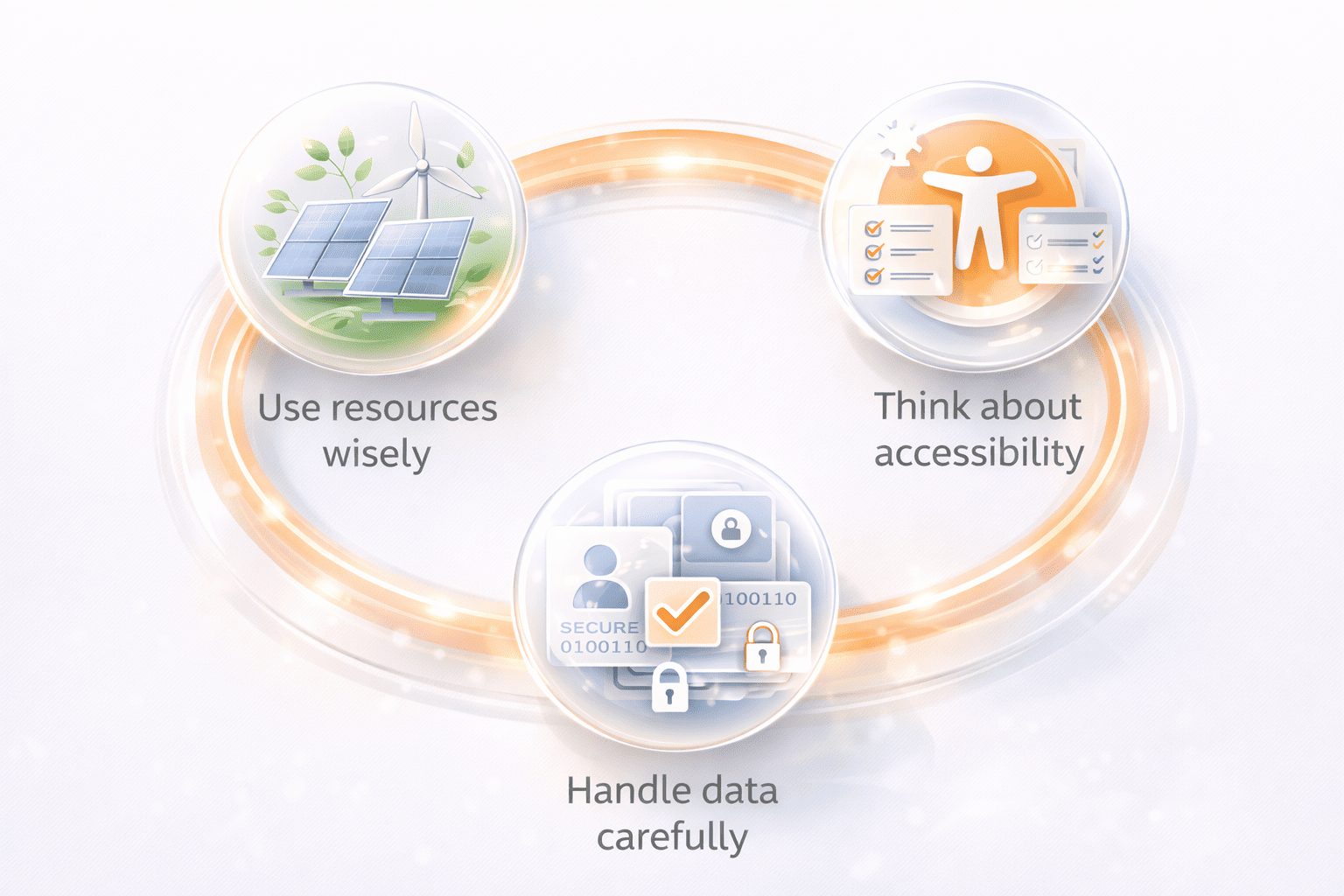
One part of that is using resources wisely. Large test environments, especially for performance checks, can take up a lot of computing power. Teams can reduce waste by running only the tests they really need and avoiding heavy test cycles that add little value.
Another part is handling data carefully. Testing with real user data can create privacy risks, so it is safer to use anonymized or synthetic data whenever possible. This matters even more in products that deal with personal, financial, or sensitive information.
It is also important to think about accessibility and inclusivity. Software should work well for different people, devices, and environments, not only for the most typical user case.
At PFLB, teams get better long-term results when they treat QA as part of product responsibility, not just defect detection. Sustainable and ethical QA helps protect users, reduce avoidable risks, and build trust in the product.
Best Practices for Selecting Methodologies and Techniques
There is no single approach that works for every project. The right mix of QA testing methodologies and techniques depends on what you are building, how fast you need to deliver, and how much risk you can tolerate.
A good starting point is to match your testing approach to the context:
- Project size and complexity: Larger systems usually need a combination of structured methodologies and targeted techniques like risk-based testing to focus effort where it matters most
- Release speed: Fast-moving teams benefit from Agile or DevOps approaches with automated testing and continuous feedback
- Risk level: Critical systems (finance, healthcare, security) require deeper validation, traceability, and more formal testing processes
- Team expertise: The skills of your team influence whether you can adopt advanced techniques like model-based testing or rely more on exploratory approaches
It also helps to build testing in layers instead of trying to do everything at once:
- Start with foundations like unit testing and code reviews
- Add functional coverage with integration and system tests
- Introduce non-functional testing, including performance and security
- Gradually expand into advanced techniques such as exploratory or mutation testing
Another important factor is collaboration. QA works best when developers, testers, and product stakeholders share responsibility for quality. Clear communication reduces gaps in understanding and helps teams catch issues earlier.
In our experience at PFLB, teams see the biggest improvement when they stop treating testing as a separate phase and instead align it with development from the start. Even small changes, like adding early validation or introducing basic performance checks, can make a noticeable difference.
Finally, keep testing practices flexible. As products grow and requirements change, your testing methodologies and techniques should evolve as well. Continuous learning and regular adjustments are key to maintaining effective QA over time.
Final Thoughts
Understanding QA testing methodologies and techniques is important for building software that works reliably in real conditions, not just in controlled test environments. The way testing is planned and executed has a direct impact on performance, stability, and overall user experience.
There is no single methodology that fits every team or project. A startup releasing features weekly will approach testing differently from a company working on a high-risk system. In most cases, the best results come from combining approaches; for example, structured planning with continuous testing, or automated checks with exploratory testing.
The key is to treat QA as a strategic part of development. When testing practices are aligned with business goals, risk levels, and delivery models, teams can catch issues earlier and make more confident decisions.
Companies that invest in the right mix of methodologies and continuously refine their approach tend to deliver more stable and scalable systems over time. QA is not something to finalize at the end. It is something to build into the process and improve with every release.