


Every e-commerce store has mere milliseconds to make the right impression on shoppers. When prospects land on a product page, they assess every single metric, and e-commerce website performance and speed are the most critical ones. In most scenarios, impatient users will bounce instantly — at the slightest hint of latency caused by high loads or traffic spikes, unresponsive buttons, freezing checkout, or payment gateway errors.
While e-commerce store owners may be in the dark about what’s happening behind the scenes of their websites, invisible performance failures continue to repel potential customers, resulting in high bounce and cart abandonment rates. This directly translates into digital oblivion, where online stores get by with minimal sales and revenue, if there are any at all.
Performance and load testing for e-commerce websites is a universal solution that can create frictionless customer journeys, from the moment shoppers click on a product until the final checkout. This article dwells on the impact of website performance on sales, customer behavior, and long-term dividends, explaining how exactly load testing should be applied for digital success. Keep reading if you want 70% of prospects to experience fast page speed and actually convert into paying customers.
Why Website Performance Is Critical in E-Commerce
For every online retailer, a website is both the gateway to a global digital presence and the first point of contact where users can engage with a product or service and form an opinion about the brand. Given the sheer abundance of rival e-commerce shops available today, buyers are getting highly conscious of which businesses they trust and interact with. E-commerce website speed and performance play a key role in shaping customer engagement and loyalty. The reasons are as follows:
- When shopping online, buyers associate flawless system performance with a business’s credibility, professionalism, and reliability. Based on the latest research, 79% of shoppers won’t purchase from a platform with substandard performance.
- Many users access e-commerce stores through mobile devices, which can lead to slow page load times, traffic congestion, network interruptions, and other bottlenecks. Fast and high-performing systems with effective mobile optimization create enjoyable experiences for users, encouraging repeat business.
- Each step of the shopping flow (Search > Product Page > Cart > Checkout) is sensitive to latency. Excellent website operation throughout the entire cycle reduces bounce rates, driving better conversions and sales.
- Small yet persistent performance issues, such as script execution delays, missing product pages, and unresponsive forms, accumulate over time, affecting how users perceive your platform across a series of sessions. The uninterrupted functionality of your online store eradicates frustrating experiences, solidifies customer trust, and reduces churn.
To avoid being overwhelmed by website performance issues during campaigns and non-campaign periods while achieving consistent website performance, companies should lean on an accessible and efficient solution: e-commerce load testing. With it, online retailers can reliably measure and fix existing vulnerabilities long before they escalate into more serious issues, destroying buying experiences.
The Real Impact of Slow Performance on Sales

If you’re still questioning the genuine influence of sluggish product page load speed on customer behavior, sales volumes, and long-term overheads, let’s analyze the following real-world examples and how speed affects online shopping behavior.
Slow Page Load Speeds Reduce Conversion Rates
Although the correlation between site speed and conversion rates seems impalpable, the truth is that most users aren’t ready to wait long until the product page loads. According to a report by Queue-it, 40% of buyers stay no more than three seconds before leaving an e-commerce website, which results in high drop-off rates and few conversions. Product pages with large icons, unoptimized scripts, and slow back-end responses only exacerbate the effect. The psychology behind this phenomenon can be explained by the power of first impressions, where users instantly assume that poor performance is a sign of incompetence, bad quality, or unprofessionalism.
Statistics from Electro IQ, however, reveal that reducing page load time even by 1 second boosts conversions by at least 5.6% — and load tests can help achieve this. Not only do they identify slow endpoints under simultaneous loads, but they also smooth out every step of the e-commerce pipeline, ensuring buyers make a purchase and return to your business over time.
Cart Abandonment Spikes When Performance Degrades
The Baymard Institute claims that 70.22% is the average cart abandonment rate e-commerce businesses are experiencing, while Kinsta maintains that this figure can surge up to 75% because of degraded system performance. Slow website cart abandonment occurs due to heavy page content, server overloads, unresponsive checkout processes, inaccessible payment gateways, button latency, and other similar reasons. Online retailers can significantly reduce cart abandonment by running performance and load tests, which are effective for simulating peak checkout loads and detecting malfunctioning scripts and database queries that trigger freezes.
Traffic Surges Amplify Existing Performance Issues
Concurrent traffic, especially during targeted marketing campaigns and promotional events, exacerbates current performance issues. Even if your website seems to function well during off-peak hours, its speed often drops as demand spikes. Moreover, user activities like logging in, applying coupons, and calculating shipping costs easily break down during high-traffic peaks, which immediately frustrates shoppers and causes them to abandon their carts halfway.
Stress testing, a specific type of e-commerce performance testing, should be employed to replicate campaign peaks and identify existing bottlenecks in advance. This will ensure that your online platform delivers reliable operation, no matter the number of users and their activities.
Mobile Shoppers Feel the Slowdown First
According to a 2025 study, 59% of buyers prefer making purchases through their smartphones rather than desktops. This kind of shopping, nevertheless, is more prone to performance bottlenecks. While network variability, JavaScript usage, heavy image payloads, and third-party scripts like widgets or analytics eat away at website speed and glitch-free functionality, all of these problems can be effectively exposed through mobile commerce performance testing.
Deloitte shows that even a 0.1s speed improvement on mobile devices increases conversions by 8.4% and average order value by 9.2%. This happens because mobile-specific load tests reveal problems that desktop tests often miss — blurry images, oversized pop-ups, and too many scripts loading at a time — ensuring customers can buy fast 24/7 from any type of device.

Search and Filtering Performance Affects Product Discovery
Finding the desired product quickly and effortlessly is what any online buyer craves. However, slow search queries, numerous category pages, and convoluted faceted search filters can tank browsing sessions, as they require pulling plenty of product information, including prices, images, descriptions, and more. Load testing can simplify this process by simulating hundreds of concurrent search and filter operations and detecting any issues with database queries, which offers straightforward and frictionless product discovery for users.
Checkout Performance Directly Determines Revenue
Checkout page speed impacts e-commerce revenue — it’s an axiom that few digital retailers realize. Shoppers on the verge of completing a purchase won’t want to continue once they face transactional inconsistencies or slowdowns with shipping API calls, address validations, and discount calculations. Checkout performance testing can cover the entire buyer journey from beginning to end, guaranteeing an uninterrupted checkout pipeline, which directly translates into sales and dividends.
Third-Party Scripts Can Destroy Performance
External scripts, such as chat widgets, review badges, remarketing tags, and analytics, usually take some time to load and execute. Slow third-party calls block the main thread, preventing the website from rendering and resulting in frustrating delays or frozen content. Performance testing allows online stores to measure the impact of external dependencies on system speed, detect resource-draining calls, and determine which services should be removed or optimized.
Back-end and Database Bottlenecks Accumulate Over Time
The brains behind your website — the back end with all databases, application logic, and servers — accrue issues over time, especially during massive traffic surges. High CPU and RAM usage, database connection pooling failures, and elevated query latency on product pages or inventory checks are just a few examples of such bottlenecks. Timely load testing can reveal how the server side behaves at 2x and 3x expected traffic, exposing all defects before they reach shoppers.
UX Breaks When Performance Is Unstable
Poor website performance can cause delayed image loading, dead buttons, frozen or hanging forms, and layout or content shifts, resulting in a broken or cumbersome UX that drives buyers away from your platform. E-commerce performance testing steps in as a working solution to help identify and resolve minor glitches related to slow loading and erratic rendering, and to deliver superior UX quality.
SEO and Paid Campaigns Waste Budget on Slow Websites
Cart abandonment due to performance issues isn’t the sole outcome, aggravating losses in sales and revenue. Sluggish landing page speed and unstable performance — especially during paid SEO and marketing campaigns — lead to inefficient conversion paths, lower Quality Score, and higher Cost Per Click (CPC), resulting in wasted budget. With load testing in place, e-commerce firms can avoid these inefficiencies, ensuring that their landing pages rank higher on Google and withstand heavy traffic from ads, organic search, and promotional campaigns.
How to Diagnose Performance Issues Before They Cost You Sales

For e-commerce performance bottlenecks not to silently and invisibly kill your conversions and sales, prior diagnostics conducted by seasoned firms like PFLB are necessary. Here are some proven steps to be taken for effective outcomes:
- Analyzing the speed of your website using lab and field data — synthetic tests and real-world user information help measure core performance metrics, for example, Largest Contentful Paint (LCP), Time to First Byte (TTFB), and First Input Delay (FID), giving a full picture of how your online shop operates.
- Monitoring back-end and database health — keeping an eye on back-end performance like CPU and RAM usage, database queries, connection pool limits, and error rates allows for uncovering and eliminating hidden issues before they cost you any online purchases.
- Testing each step of the e-commerce flow — validating the entire Search > Product Page > Cart > Checkout pipeline ensures frictionless experiences at any stage of the customer journey.
- Running load tests for realistic concurrency patterns — simulating how your e-commerce shop behaves under actual demand prepares your website for an unlimited number of users and the related activities they perform.
- Conducting stress testing before big campaigns — running stress tests helps reveal how your platform works under extreme and uncontrollable conditions to guarantee its stability during major marketing events.
What to Fix First: Practical Priorities
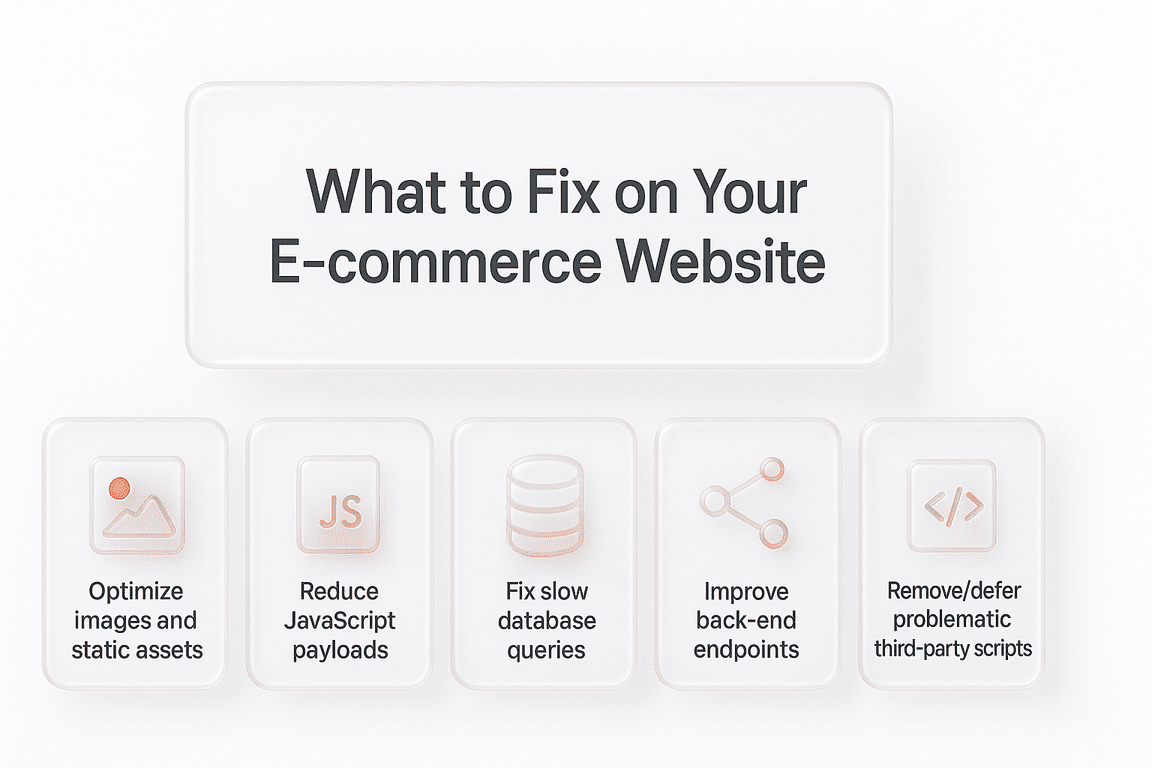
Once e-commerce website performance issues have been detected, it’s crucial to understand which of them require immediate attention. Below, we’ve prepared a short list of practical activities that online retailers should prioritize for impeccable platform service and UX:
- Optimize images and static assets: compress, resize, and properly format images, CSS files, fonts, and other page elements.
- Reduce JavaScript payloads: remove unnecessary scripts, minimize or optimize existing code, and split large files into manageable chunks.
- Fix slow database queries: refine SELECT statements, use query caching, update indexes, and simplify JOINs.
- Improve back-end endpoints: optimize APIs, implement caching and load balancing, and monitor related performance metrics.
- Remove or defer problematic third-party scripts: identify and get rid of heavy scripts, incorporate lighter alternatives, or implement asynchronous loading.
Final Thoughts
Every e-commerce website has a performance ceiling, and hitting it affects your conversion funnels, sales volumes, and overall revenue. Online stores just entering the sector are the first to discover this — not only during Black Friday, but also in smaller-scale events. The smartest way to gain visibility into the core of your website and evaluate its existing performance is through tailored load testing services. So, before launching your next targeted campaign, make sure your digital store is able to meet the most exacting demands of shoppers.