


You’ve probably done everything the guides recommend to speed up your site. Compressed images. Minified files. Added a CDN. Installed a caching plugin. Boosted your PageSpeed or Lighthouse score.
And still… when you run a campaign or see a traffic spike, your site slows down.
There’s a reason for this. Most website optimization myths come from advice tested in a lab, with one user, clean data, and zero background load. Real websites don’t work that way. Real users hit your backend, trigger dynamic flows, run searches, submit forms, and open pages in parallel. When that happens, the optimizations that looked good in isolation suddenly fall apart.
These myths survive because teams optimize without ever validating behavior under load.
Let’s break down the biggest website performance myths and why only load testing reveals what actually holds your site back.
Why Website Optimization Myths Persist
Most optimization advice comes from lab tools that test pages in perfect, low-pressure conditions. PageSpeed and Lighthouse run with a single user, no background activity, and no competition for server resources. They highlight front-end opportunities, but they don’t show how a site behaves when real traffic arrives.
This gap shows up clearly in real-world audits.
Analyses of major sites reveal that only about one-third meet Core Web Vitals performance thresholds on desktop and mobile, which confirms that surface-level fixes rarely hold up under load.
Because of that, many fixes look effective on paper but fail the moment multiple users hit the same pages, trigger dynamic content, or interact with the backend at the same time. Lab scores don’t reveal queueing, database contention, thread limits, or the delays created by third-party scripts under pressure.
Teams end up optimizing for metrics that don’t reflect real usage. And since most websites never get tested under concurrent load, there’s nothing to challenge these assumptions.
Load testing is the missing feedback loop; the only way to see which optimizations hold up under real traffic and which ones collapse once users arrive.
Website Optimization Myths That Break Under Real Load
Many optimization practices work in theory but fail when real users arrive at the same time. Front-end tweaks, caching tricks, and high speed scores can hide deeper issues that only appear when traffic grows, backend resources are shared, or multiple services interact. Load testing exposes these gaps by showing how your site performs under the conditions that lab tools don’t simulate.

1. A high PageSpeed or Lighthouse score means the site is fast
A strong Lighthouse score only reflects how a page performs for a single user in a clean, controlled environment. Real traffic is very different. When many users hit dynamic pages, run searches, and interact with APIs at the same time, performance issues appear that lab tools cannot detect. A site can look perfect in PageSpeed but still slow down under actual demand, especially during campaigns or peak periods. Load testing exposes this gap by showing how the site responds when concurrency increases and multiple requests compete for backend resources.
2. Caching solves performance problems
Caching can make a site feel faster for light traffic, but it rarely solves the underlying performance issues that appear under load. Most dynamic pages, authenticated users, search results, and personalized content cannot rely on cached responses. When many users request these flows at the same time, cache misses increase, invalidation events spike, and backend services absorb the full load anyway. This is why sites that feel fast in isolation still slow down during real traffic surges. Load testing reveals how well the cache actually performs under pressure and whether the backend can handle requests when caching is not available or effective.
3. A CDN automatically makes a site fast
A CDN improves performance for static assets, but it does not fix the backend issues that cause most slowdowns under real traffic. HTML generation, API responses, database queries, authentication, and dynamic content all bypass the CDN and return to the origin server. When many users request these operations at once, the CDN cannot shield the backend from overload. A site may load images quickly while the main page still stalls because the server is saturated or waiting on slow dependencies. Load testing shows where the CDN helps and where it has no effect, revealing the true limits of the system behind the content delivery layer.
4. Optimizing images is the biggest win
Compressing and resizing images is useful, but it solves only a small part of the performance equation. Image optimization helps initial load time, yet it does nothing for the backend delays that appear when many users perform dynamic actions at the same time. Searches, checkouts, logins, and API-driven pages rely on server-side processing that becomes the true bottleneck under load. A site can have perfectly optimized images and still slow down because the database is contending for locks or an API cannot handle concurrent requests. Load testing helps teams prioritize the optimizations that actually matter when traffic increases.

5. Modern hosting plans can handle any traffic
Upgraded hosting plans create the impression that capacity problems are solved, but every environment has limits. CPU, memory, disk IOPS, connection pools, and thread counts all reach saturation points when traffic increases. Even cloud platforms with automatic scaling require warm-up time, and shared environments often throttle resources long before advertised limits.
A site may run smoothly with light activity and still slow down the moment demand spikes during a campaign or seasonal peak. You can often spot this problem early by watching for the warning signals your website struggles under load, which helps teams catch performance issues before spikes turn into outages.
Hosting upgrades help, but they cannot replace understanding how the application behaves under pressure. Load testing reveals the real thresholds that hosting plans cannot guarantee.
6. If it is fast for one user, it is fast for everyone
Concurrency introduces effects that are invisible in single-user scenarios, including queueing, lock contention, exhausted thread pools, and delayed background tasks. In many real cases, once traffic pushes a system beyond about 60–85% of its capacity, average response times can double and spike delays can grow up to ten times higher as concurrent requests increase, showing how performance degrades under pressure no single-user test reveals.
These issues do not appear when one person loads a page, submits a form, or runs a search. They surface only when multiple requests arrive together and compete for shared resources. Relying on one-user tests creates false confidence, while load testing shows whether the site can maintain speed when actual visitors arrive in parallel.
7. Third-party scripts have minimal impact
Third-party scripts often look harmless during individual testing, but their impact grows significantly under real traffic. Many scripts load synchronously or block the main thread, which slows down page rendering when multiple requests happen at once. Analytics, ads, chat widgets, and marketing tags can also fail or delay when their own providers experience heavy load, adding extra latency to your pages. What seems like a small overhead for one user becomes a major slowdown for hundreds of visitors. Load testing shows how these external scripts behave under pressure and how much they contribute to real performance degradation.
8. Database performance is fine if queries are optimized
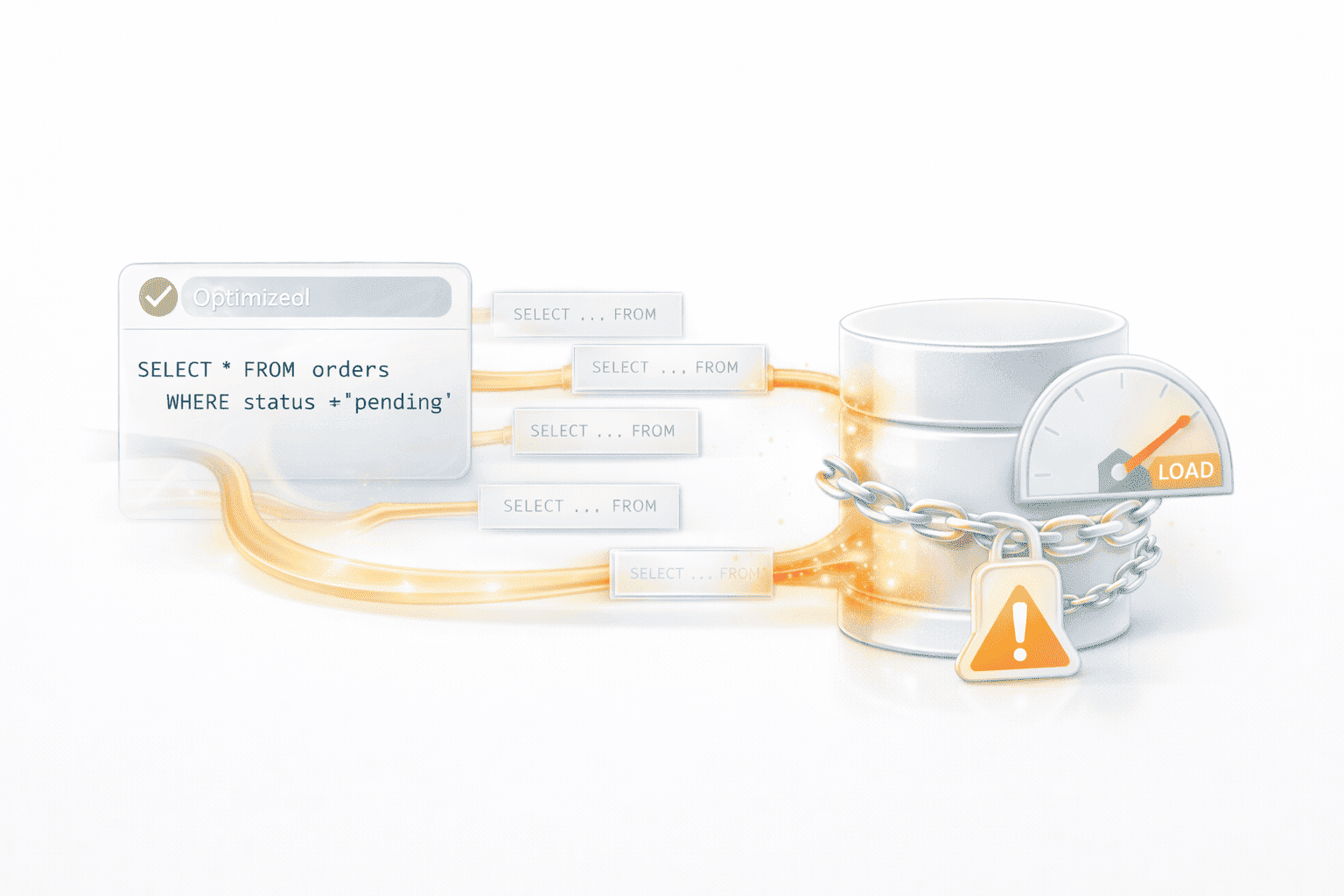
Well-written queries are important, but they are not enough to guarantee database performance under real traffic. Even efficient queries slow down when many users run them at the same time, because the database must manage locks, shared buffers, connection limits, and parallel writes. What looks fast during development can become a bottleneck under concurrency, especially for checkout flows, search features, and reporting endpoints. Optimized SQL does not prevent contention or saturation. Load testing reveals how the database behaves under pressure and shows where capacity, indexing, or connection pooling need to be improved to support real user demand.
9. Performance optimization is a one-time task
Website performance changes over time as new features, scripts, and integrations are added. An optimization that works today may lose its effect months later as traffic grows or the technology stack evolves. Without continuous validation, small regressions accumulate until the site feels noticeably slower under load. Relying on one-time tuning creates blind spots, because performance depends on how the entire system behaves at scale, not just on isolated fixes. Load testing helps teams detect these regressions early and maintain consistent performance as the site grows and changes.
10. If the site has not crashed, it is performing well
A site does not need to crash to fail its users. Slow pages, delayed responses, silent timeouts, and stalled interactions can damage the user experience long before a full outage occurs. These issues often appear gradually as concurrency increases and backend resources become saturated. From the outside, the site still “works,” but conversions drop, sessions shorten, and users abandon tasks because performance feels unstable. Relying on the absence of a crash hides the early signs of overload. Load testing reveals this slow degradation and shows how the site behaves when traffic rises, long before visible failures appear.
What Load Testing Reveals That Optimization Alone Cannot
Studies indicate that a one-second delay in load time can reduce conversions by up to 20 percent, especially during high-traffic moments like shopping or sign-ups.
Numbers like this highlight a bigger truth: most optimization work focuses on how a page loads for a single visitor in perfect conditions. These improvements help the first impression, but they do not show how the site behaves when real users arrive at the same time.
Load testing fills this gap by revealing system behavior under pressure, the moment when most performance issues actually appear. It shows how different parts of the application interact when they are active together, not in isolation. It uncovers backend delays, resource limits, and concurrency effects that lab tools cannot simulate. It also reveals where front-end improvements stop being helpful and where bottlenecks shift to APIs, databases, or external services.
Here are the insights you only get from load testing:
- How backend resources respond under real traffic: CPU usage, memory saturation, queue buildup, connection pool exhaustion, and thread limits all become visible when multiple users interact with the site at once.
- Where the first bottlenecks actually appear: Instead of guessing what slows the site, load testing shows whether the weak point is a specific API, database query, caching layer, or third-party script.
- How optimized pages behave when requests arrive in parallel: Concurrency is where most performance problems appear. Even a fast page can stall when several dynamic operations compete for shared resources.
- Which optimizations matter at scale and which ones do not: Image compression and Lighthouse-driven fixes help the surface. Load testing shows whether the real gains come from backend changes, database tuning, or cache redesign.
- How third-party services affect performance under load: Analytics scripts, payment providers, authentication systems, and marketing tags can all slow the site unexpectedly during peak traffic.
- How the entire system behaves as one connected environment: Load testing highlights issues that only appear when APIs, databases, CDNs, and background jobs run simultaneously, not in isolation.
Instead of relying on assumptions, load testing gives teams evidence. It reveals what breaks first, what needs attention immediately, and what improvements actually make the site faster for real users, not just in a lab score.
Teams exploring performance testing for the first time can also review how different load testing strategies compare, especially when deciding whether to test internally or bring in external expertise.
What to Do Next
Once you understand how website optimization myths form, the next step is to validate performance where it actually matters: under real traffic. The actions below help teams move from surface-level tuning to meaningful improvements that hold up when users arrive in parallel.
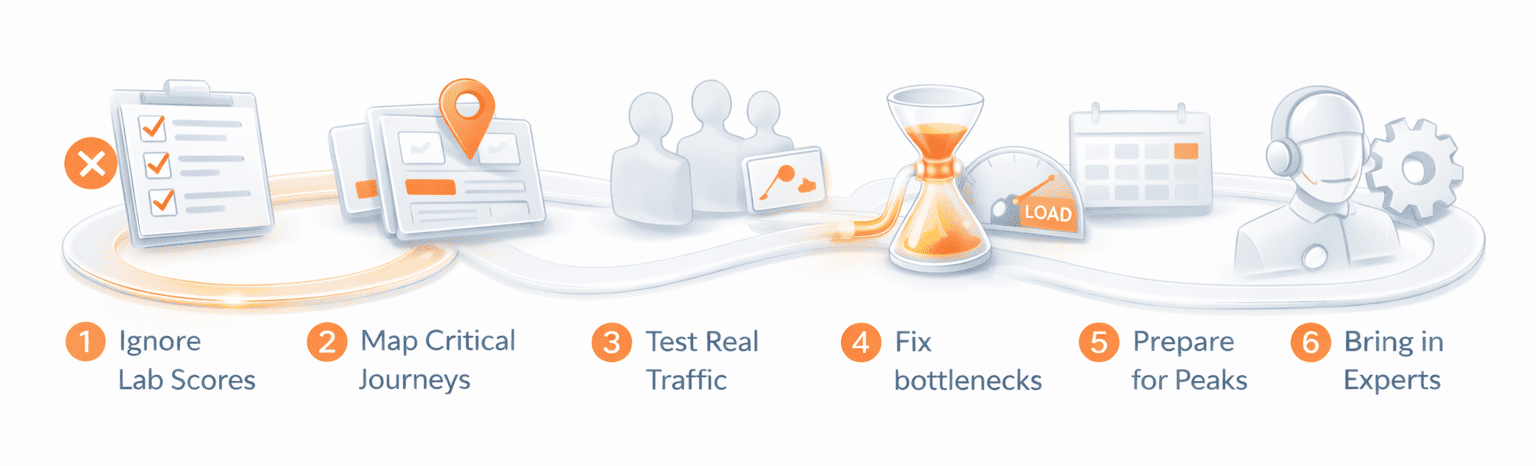
- Stop relying on lab scores alone: Tools like PageSpeed and Lighthouse are helpful for initial checks, but they cannot predict how your site will perform when hundreds of requests hit the backend at the same time. Treat them as diagnostics, not performance guarantees.
- Identify the critical user journeys: Map out the flows that generate the most value or the most load. This usually includes the homepage, product or content listing pages, search, checkout, login, and any dynamic API-driven areas.
- Validate performance under realistic concurrent traffic: Simulate real user behavior, not just isolated page loads. Include concurrent browsing, API calls, background tasks, third-party scripts, and bursty patterns that resemble campaigns or launch days.
- Fix the bottlenecks revealed by load tests: Prioritize work based on evidence. Whether the slowdown comes from a database lock, a saturated API, slow third-party scripts, or cache misses, optimize the areas that actually impact real performance.
- Prepare for traffic before campaigns and releases: Run targeted load tests before marketing pushes, seasonal peaks, or feature rollouts. This reduces the risk of slowdowns during high-value moments.
- Use expert load testing support when needed: Complex architectures, dynamic flows, and high-traffic events often require professional testing setups. Partners like PFLB can simulate realistic load safely and help teams evaluate how their site will behave at scale.
Taking these steps turns performance from a guessing game into a measurable, repeatable process that protects user experience, conversions, and reliability under real conditions.
Final Thoughts
Website optimization often looks successful in lab tools, but real performance becomes clear only when many users arrive at once. Most slowdowns come from concurrency, backend limits, and system interactions that never appear in one-user tests.
Load testing reveals this real behavior. It shows what breaks first, which optimizations matter, and how your site holds up when traffic increases. Teams that validate performance under load avoid surprises during campaigns and keep the user experience stable as their site grows.
If you need support simulating realistic traffic or preparing for peak demand, PFLB can help you understand your site’s true limits.