

Software‑in‑the‑loop (SIL) testing checks how systems behave before real hardware even exists. While some of its counterparts — for example, unit and model-in-the-loop (MIL) validations — focus on fragmented functions and emulations, SIL evaluates software in a way that reflects the behavior of the entire system.
By optimizing simulation models, test environments, input data, and other software components, SIL exposes existing system-level and integration issues early and cost-effectively, ensuring faster releases and better system reliability.
This technical guide from PFLB — a distinguished doyen in performance testing and QA — looks closely at SIL, its role in modern testing, the ways QA and engineering teams can implement it, and how it complements other testing methods. Keep reading to find out more.
What Software‑in‑the‑Loop Testing Is
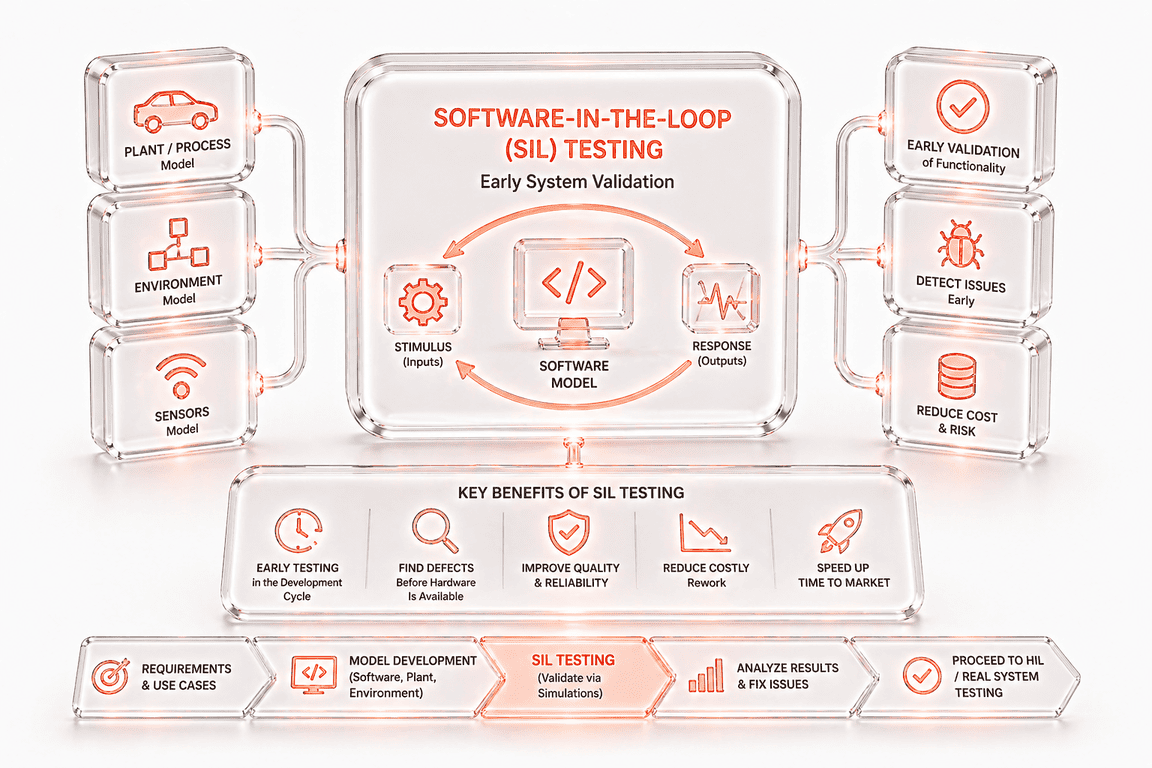
Software‑in‑the‑loop testing is a QA strategy for embedded systems where compiled or interpreted production code runs inside a controlled simulation or virtual environment to replicate the target hardware and physical surroundings. Rather than deploying software to real devices — which doesn’t tolerate mistakes — QA and engineering teams implement SIL testing to check the final code for accuracy at early stages.
In SIL validations, software never runs in isolation. It interacts with artificial sensors, actuators, and environments while executing its normal logic — all without physical equipment. To replace hardware-specific functions, SIL uses host compilers and stubs, which allows for faster-than-real-time testing. Thus, the software can process inputs, make decisions and calculations, control outputs, handle timing and errors, and fulfill other targeted activities.
The core components of a typical SIL setup include:
- The software under test: the actual code that has to be executed.
- High-fidelity plant or system models: the detailed representations of equipment, its components, and behavior.
- A simulation or integration platform: a solution that manages system communication, data exchange, and timing.
- A validation environment: a framework where test orchestration, scenario control, logging, and result analysis occur.
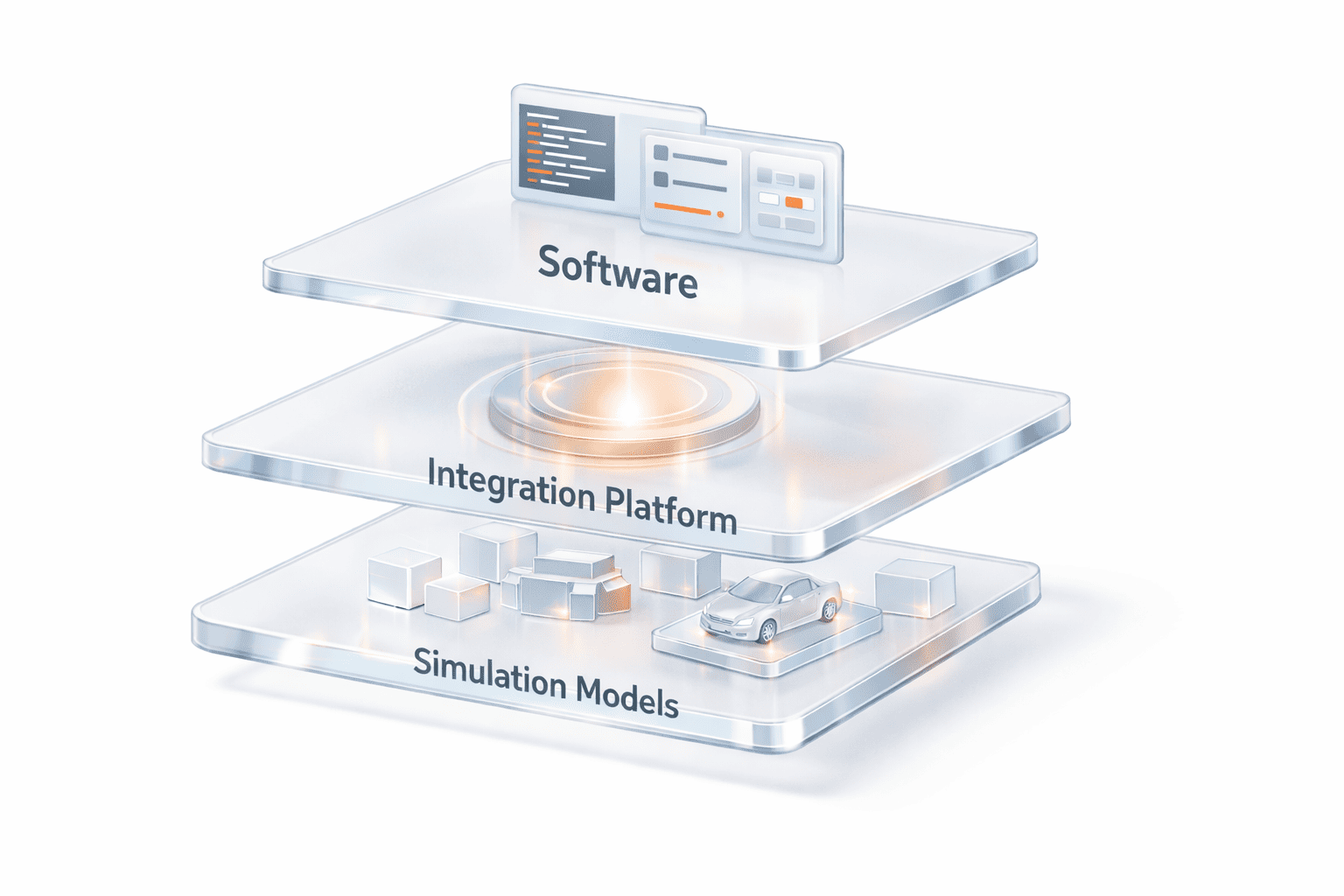
In the standard embedded software QA and development pipeline, SIL testing occurs among other testing approaches, with the following hierarchy:
- MIL testing: prototypes the logic and behavior of algorithms using abstract models before the real code is written.
- A SIL validation: runs the production software in a simulation once the code is available.
- A processor-in-the-loop (PIL) evaluation: executes the software on the actual processor within a simulated setting.
- Hardware-in-the-loop (HIL) testing: validates the software code on the real physical hardware with all sensors, actuators, and environmental conditions.
As experts at PFLB have deduced from practical experience, it’s incorrect to view or implement SIL vs. MIL vs. HIL separately. Only together do they form a complete verification cycle for inherently robust and reliable embedded systems.
Why Software‑in‑the‑Loop Testing Matters
SIL testing benefits go far beyond identifying software bottlenecks and include:
- Early system validation: SIL uncovers integration, logic, and timing issues before hardware is available, which eliminates costly late‑stage fixes. For example, in automotive solutions, it helps catch ECU-sensor mismatches and avoid expensive redesigns.
- Cost and time savings: By running simulations on standard machines, QA and engineering crews cut expenses related to building physical prototypes and don’t have to wait until equipment becomes available. For industries like medical devices, this prevents unexpected hardware changes and regulatory liabilities.
- Accelerated feedback loops: Through multithreading, SIL lets teams run numerous test scenarios quickly and in parallel, which ensures faster feedback and supports rapid iteration. In aerospace development, SIL is used to test flight control software and track changes in altitude, speed, and wind conditions.
- Enhanced test coverage: SIL provides broader testing capabilities, allowing QA engineers to simulate edge cases, fault conditions, and rare events that are dangerous or impractical to reproduce on prototypes. Robotics relies on this type of testing to validate extreme motions, sensor failures, and unexpected obstacles, among other conditions.
- Improved collaboration: Implementing SIL testing allows software teams in medical devices, robotics, aerospace, and automotive to refine code without physical hardware and quickly share results with other members and partners.
- Regulatory and safety compliance: Software‑in‑loop QA generates detailed test records with full traceability to support regulatory compliance, especially in safety‑critical domains like medical devices, aerospace, and similar.
SIL Testing vs. Other Testing Methods
How is SIL different from other testing approaches? To facilitate understanding, the PFLB team has compiled a table where we compare software‑in‑the‑loop vs. hardware‑in‑the‑loop vs. other common methods across specific criteria: purpose, cost, timing accuracy, typical use stage, and limitations:
| Testing Method | Purpose | Cost | Timing Accuracy | Typical Use Stage | Limitations |
|---|---|---|---|---|---|
| Unit | Tests individual functions or modules | Low | N/A | Early development, function validation | Misses full system behavior and integration issues |
| Integration | Checks interactions between components | Low – Medium | Moderate – limited system context | After unit tests, before system-level testing | Doesn’t test complete system loops |
| MIL | Prototypes and validates algorithms using high-level models | Low | Low – no real hardware | Early development, algorithm design | Doesn’t run real code, limited system fidelity |
| SIL | Validates systems in a simulation environment for embedded software | Medium | Moderate – simulated timing | Once code is available, before hardware | Limited sensor and environment complexity |
| PIL | Runs software on actual processor | High | High – realistic timing | After SIL, before full hardware integration | Simulated inputs and outputs, limited environmental conditions |
| HIL | Validates software on physical equipment | High | Very high, given real hardware | Late-stage testing, final validation | Expensive, slower, limited flexibility for scenario testing |
| End-to-End & Acceptance | Validate full user and system workflows | High | Low – Moderate | After system integration, pre-release | Doesn’t uncover low-level control-loop or integration issues early |
The Role of QA in SIL Testing
Fruitful system‑level testing is impossible with QA at every step. Not only does QA add safety, reliability, and observability to the process, but it also transforms a SIL validation into a systematic method that can handle chaotic real-world conditions. All this is possible through the following QA practices:
- Test design: helps define system‑level scenarios that show how systems behave in real life and specify what inputs to give, what stimuli to trigger, and what outcomes to expect.
- Traceability: links test cases to specific requirements and safety goals, maintaining clear connections between MIL, SIL, PIL, HIL, and the final product.
- Validation metrics: determines pass criteria, such as stability, response times, and code coverage, and integrates relevant tools to evaluate correctness and meet quality standards.
- Fault injection and stress testing: incorporates negative testing, fault injection, and extreme conditions to assess system robustness without using real equipment.
- Continuous integration: allows for running SIL tests whenever there are changes in code, ensuring problems are quickly identified and fixed.
- Collaboration: enables close work among developers, system engineers, and hardware teams to interpret results and prioritize the necessary patches.
Compliance:
ensures that test documentation meets regulatory requirements for industries like ISO 26262 in automotive and IEC 62304 or FDA for medical devices.

Step‑by‑Step Guide to Implementing SIL Testing
Implementing system-level testing is demanding and requires a well-defined vision and a structured strategy. While some vendors suggest a simplified five-step approach to SIL evaluations, PFLB’s collaboration with previous clients shows that successful SIL testing steps encompass:
1. Defining objectives and system boundaries
First of all, it’s important to decide on the goals of the system and which of its parts — such as software modules, control algorithms, interfaces, and feedback loops — must be simulated throughout SIL. Then, QA and system engineers have to agree on safety and performance requirements, including latency limits, fault-response behavior, stability margins, and others.
With this in place, teams have to establish measurable success benchmarks and failure conditions that should reflect real-world operational risks.
Setting clear objectives and system boundaries from the outset helps prevent scope creep, ensures test relevance, and builds up readiness for worst-case scenarios.
2. Selecting or building accurate simulation models
The second step focuses on choosing or designing plant and environment models that represent the physical system with sensors, actuators, engines, or power grids. In either case, make sure that the simulation models are accurate and offer high fidelity. Plus, check that their behavior aligns with real-world measurements and data. Doing so will ensure the trustworthy and meaningful results of SIL testing, boosting credibility for further PIL and HIL stages.
3. Configuring the integration platform
In the third phase, teams should concentrate on choosing and configuring the integration environment where the software and models will run together. Typically, it’s possible to select from commercial platforms like dSPACE VEOS and OPAL-RT, or custom frameworks built with MATLAB, Python, and C++. Pay attention that the chosen platform synchronizes the software and models, effectively manages time steps, and provides seamless communication within the ecosystem.
4. Preparing the software under test
Next, the software under test must be compiled for execution on the host platform rather than the real equipment, with its hardware-specific parts replaced by stubs or simulated equivalents. During this step, it’s essential to maintain version control and build reproducibility, so every test run uses the same version and configuration.
5. Designing test scenarios
This stage involves creating a set of test cases, covering nominal operation, fault conditions, and edge cases. Test scenarios should replicate real-world weaknesses, such as sensor noise, communication delays, timing variations, and system faults. Where possible, it’s best to use automated tools that can generate diverse conditions for a more versatile and broader test coverage.
6. Implementing test harnesses and scripts
After test scenarios have been created, it’s vital to implement test harnesses and scripts that automate SIL test execution by driving simulations, injecting inputs, monitoring outputs, and capturing logs for analysis. To validate software under diverse conditions, harnesses should enable parameter sweeps and randomized input generation. An example written in Python is shown below:
import random
import numpy as np

# Example parameter ranges
speed_values = np.linspace(0, 120, 10)        # parameter sweep

noise_range = (-0.05, 0.05)                   # random noise

def run_simulation(speed, sensor_noise):

    # Placeholder for SIL simulation call

    output = speed * (1 + sensor_noise)

    return output

# Parameter sweep with randomized inputs

for speed in speed_values:

    sensor_noise = random.uniform(*noise_range)

    result = run_simulation(speed, sensor_noise)

    print(f"Input speed: {speed:.1f}, Noise: {sensor_noise:.3f}, Output: {result:.2f}")
7. Executing simulations
In this step, it’s time to run the software with the simulation models to observe how they behave and interact. Teams should adjust parameters to check various scenarios, including fault conditions and edge cases, and use multithreading and parallel execution to run multiple simulations at the same time. Here’s an example of how simulations are executed with different parameters:
simulation_params = [0, 20, 40, 60, 80, 100, 120]  # e.g., speeds
results = []

def run_simulation(param):

    # Placeholder for SIL simulation call

    output = param * 2  # simple calculation representing simulation output

    return output

# Execute simulations

for param in simulation_params:

    result = run_simulation(param)

    results.append((param, result))

    print(f"Input: {param}, Output: {result}")
8. Collecting and analyzing results
Upon execution, it’s essential to gather and study all data generated by the software like logs, code coverage, performance testing metrics, and the traces of the system state. Use visualization tools combined with statistical analysis, traceability mapping, and automated alerts to identify any anomalies or bottlenecks, compare the end results with success criteria and failure conditions, analyze trends, and track regressions.
9. Debugging and iterating
Next, closely collaborate with the engineering team to interpret test failures, refine models, adjust test cases, and resolve the identified defects. If necessary, repeat the cycle until the system behaves correctly and meets the established objectives.
10. Planning transition to PIL and HIL
The final step ensures a smooth transition to other logical phases of PIL and HIL. Here, you have to document all findings and ensure that the related artifacts — simulation models, test scripts, and generated data — can be easily reused or adapted for PIL and HIL testing. Remember to establish traceability from these artifacts to the final validation and certification to guarantee that the software is fully secure and compliant when in use.
Best Practices and Common Pitfalls
From PFLB’s experience in real projects, any SIL validation should rely on a specific set of best industry practices to avoid unexpected blockers. Below are the most important practices and the common pitfalls they help anticipate, based on our hands-on knowledge:
- Model fidelity matters: inaccurate simulation models can’t represent the real system precisely, which leads to inadequate results and may not work with the real equipment. To avoid this issue, invest in calibration and keep refining your model as new data flows in.
- Don’t over‑mock: keep in mind that excessive stubs can conceal issues like timing mismatches or integration errors that will show up only during real interactions with the hardware. Not to let this happen, keep interfaces and timing realistic.
- State and timing are critical: make sure your simulation model replicates both the system’s state and timing accurately by matching simulation steps, event handling, and delays to real-world conditions. This will preempt integration and hidden errors, incorrect performance assessment, and misleading results.
- Document and trace: keep your test documentation organized and clear from the very beginning; track which software versions, simulation models, and test parameters were used; and use specialized tools like Git to manage changes to scripts, code, and models. Doing so will help not only deal with inconsistent test results but also avoid audit and compliance failures later on.
- Iterate and revisit: SIL testing isn’t a one-off event. Regular iteration cycles ensure the tests remain relevant, robust, and aligned with the product as it evolves.
Tools and Frameworks for SIL Testing
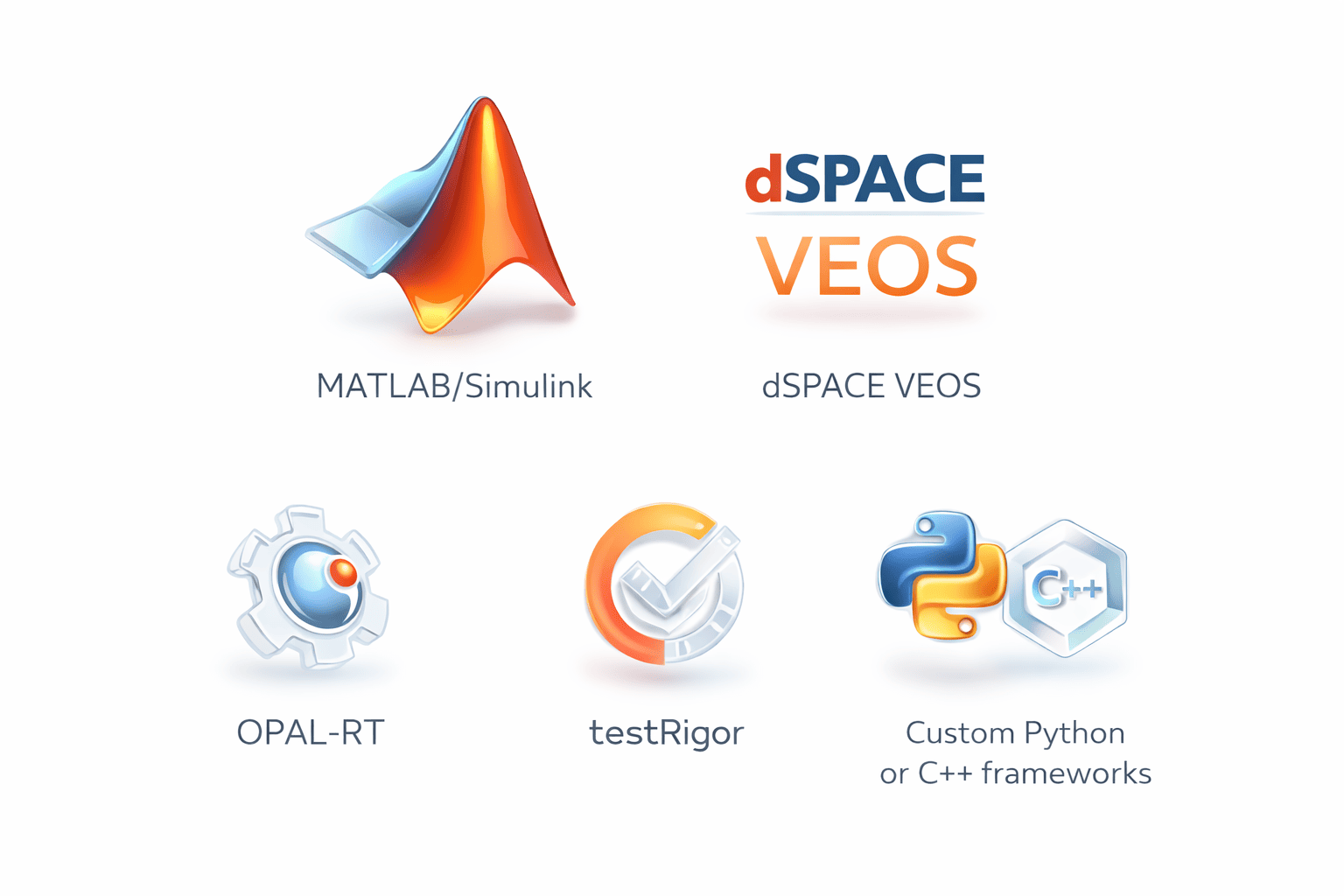
To facilitate each step of SIL validations, QA teams should adopt appropriate tools and frameworks. Based on PFLB’s analysis, here’s a list of solutions to try:
- MATLAB with its add-on Simulink, is widely employed for model-based testing, design, automatic code generation, and SIL and PIL checks. Its key features include a numerical computing engine, algorithm development and prototyping, data visualization, support for digital twin testing, a graphical modeling environment, time-based simulations, and more.
- dSPACE VEOS is a simulation and integration platform for virtual ECUs and complex models, effectively handling communication issues, timing errors, and test automation. Functions that make this tool indispensable for QA engineers encompass a flexible simulation environment, model integration, scalability, HIL support, debugging, and calibration, among others.
- OPAL‑RT provides real‑time simulation environments that support SIL and HIL testing for power electronics, energy systems, and automotive applications. Its main features are real-time mimicking of complex physical systems, integration with MATLAB/Simulink, high-performance computing, a hardware interface, cloud-native simulation, and more.
- testRigor offers AI-assisted capabilities to design, manage, and maintain SIL evaluations, bridging the gap between manual and automated testing approaches. Its distinguishing functionalities include, but aren’t limited to, AI/ML, cloud execution, CI/CD integration, reporting and analytics, scalability, and others.
- Custom Python or C++ frameworks are used to create SIL tests for bespoke solutions, especially when it comes to specialized industries or unique hardware. Some of its most prominent features are full control over test execution, flexible simulation orchestration, reusability, hardware and protocol integration, and more.
Case Studies and Industry Examples
The true value of SIL testing reveals itself in practice. Drawing on over 15 years of experience conducting SIL for different clients, we illustrate the sectors where this type of evaluation plays a crucial role, along with relevant use cases:
Challenges and How to Overcome Them
Like any other validation approach, SIL evaluation comes with a few challenges. Still, with the right knowledge and strategies, these hurdles can be easily overcome:
- Model accuracy and upkeep: creating and maintaining high‑fidelity models is a time‑consuming process. To save time and not to overwhelm existing resources, implement incremental modeling and continuous validation.
- Integration complexity: since linking diverse software modules and simulation platforms may require custom interfaces, integrate standard communication protocols like CAN or MQTT, and rely on a modular architecture.
- Tooling and resource availability: a lack of access to commercial tools and high‑performance computing makes SIL testing hard and challenging. Harnessing open‑source options and cloud‑based services can help overcome these constraints.
- Skill gaps: SIL testing requires specialized expertise in modeling, simulation, QA, and embedded software, but not all testing engineers possess it. To address this challenge, invest in relevant training for your internal team, foster cross-disciplinary collaboration, or hire experienced professionals from PFLB.
- Test result interpretation: system‑level failures can be daunting to identify and fix. Root‑cause analysis, logging, and visualisation techniques should be used to better understand issues and implement appropriate solutions.
What to Do Next
If, after reading this guide, you’ve decided to consider system‑level testing for your embedded software development project, here’s what to do first:
- Assess your readiness: decide if SIL testing is beneficial for your project based on its complexity, requirements, and development timelines.
- Identify components for virtual testing: select software modules or subsystems that can be validated without any hardware.
- Choose the right tools and modeling approaches: pick suitable simulation platforms or frameworks that will fit your domain and budget.
- Integrate SIL into your workflows: plan how to seamlessly add SIL tests into your CI/CD and QA processes.
- Seek specialized expertise if needed: work with seasoned SIL and performance testing providers like PFLB for a smooth implementation.
Final Thoughts
Modern embedded software development demands meticulous and comprehensive testing to ensure the end product operates consistently, is safe, and avoids costly rework. If your business is related to the automotive, medical devices, or robotics industries, and you want to see how software‑in‑loop QA and testing fits into your engineering process, reach out to PFLB experts for a free consultation and discuss your system-level needs.