

Among the proven ways to detect high-impact bugs before more extensive testing runs, smoke testing takes the lead. Also known as build acceptance or build verification testing, it’s a preliminary method that validates the basic functionality of a software build to confirm its stability for further checks.
The term ‘smoke testing’ originated in hardware and electrical engineering, when engineers examined a new device for fire or smoke: if either appeared, there was something wrong; if not, the device was considered sound and could proceed to deeper evaluations.
Smoke testing can be deemed a gatekeeper of the software’s immune system. It lets QA testers, developers, and DevOps engineers assess core features and catch critical issues early. This not only ensures software stability but also prevents wasted time and resources on unreliable builds and cuts debugging time.
In this guide, we explain what smoke testing is, highlight its types, importance, and comparison with other validations, and reveal smoke testing steps, tools, and best practices. Although we briefly cover sanity, regression, and unit testing, our main focus is on smoke validations. From PFLB’s experience, running smoke tests on each new build will help you immediately identify critical failures, improve software quality, and accelerate time to market.
What Is Smoke Testing?
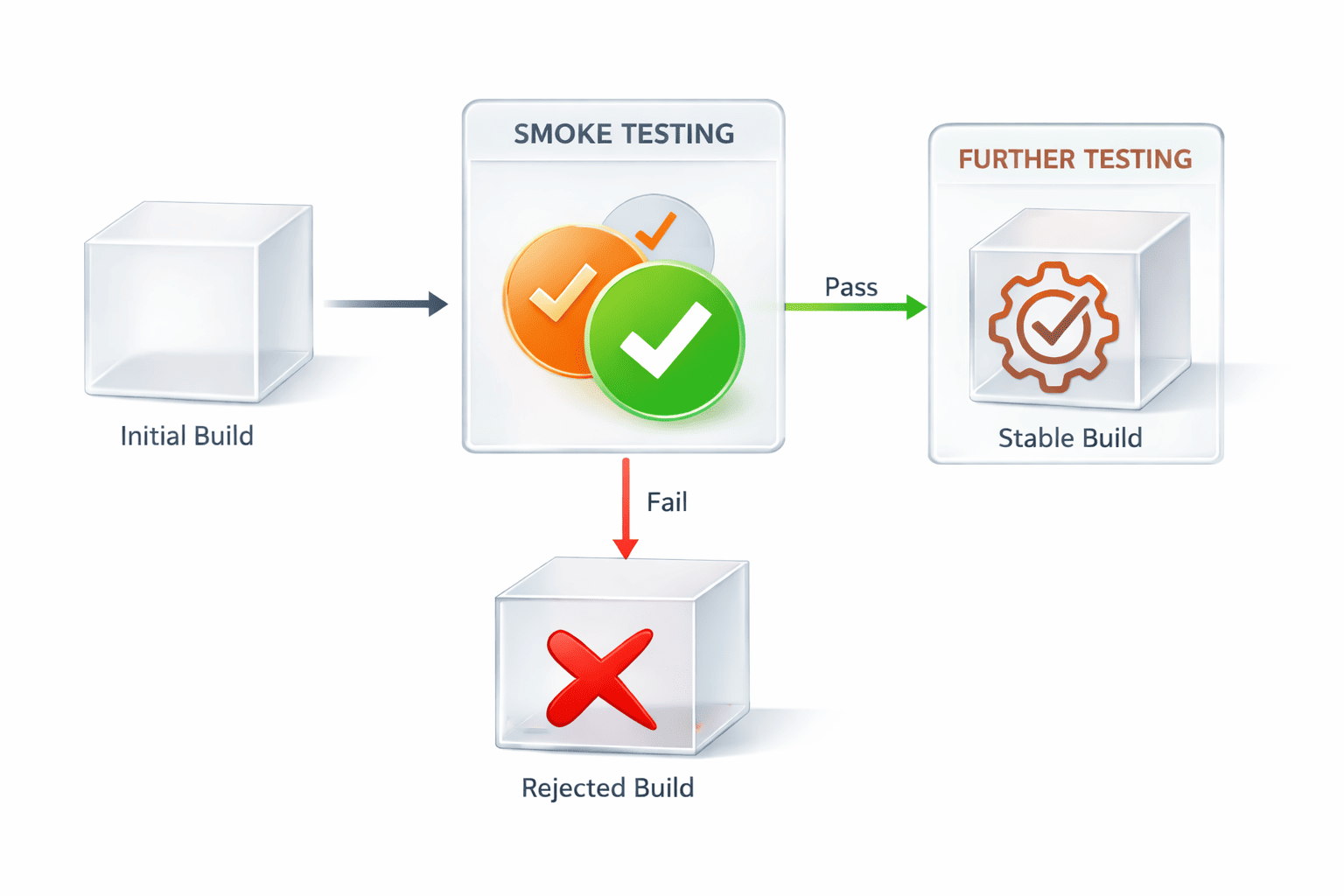
Smoke testing is a subset of user acceptance testing and a rapid technique that executes a minimal set of test cases to verify the stability of a build and confirm that critical functionalities like login work. It’s performed every time a new build has been created and occurs early in the QA cycle. In case a smoke test fails, more rigorous testing is impossible until all fixes have been implemented.
Goals and Characteristics of Smoke Testing
Like any other validation, smoke testing has a set of goals to achieve and specific characteristics that make it different from its equivalents. With a decent number of smoke testing projects under our belt, the PFLB specialists would define the key goals of running smoke tests like this:
- Ensuring build stability: an error-free build is ready for deeper testing. The faster more serious validation happens, the earlier your software becomes available to the public and yields revenue.
- Providing rapid feedback: quick insights gained through smoke tests help reveal the current state of your system’s health, uncover defects, and enable timely patches.
- Supporting continuous integration: smoke testing in CI/CD environments acts as an automated checkpoint, ensuring that only robust builds move forward in the pipeline.
- Preventing wasted resources: as it eliminates testing procedures on unstable builds, smoke testing helps QA and development teams save time and resources that could otherwise be drained by validating defective systems.
The peculiarities of smoke testing observed by our team are:
- Broad but shallow coverage: while smoke validations cover many core areas of a system, they never dig into details and simply verify that key functions respond correctly.
- Minimal time: smoke tests run quickly, typically within 15-30 minutes, so as not to delay development and testing workflows.
- Frequent execution: smoke tests are executed every time a new software build is created or code changes occur to ensure consistency, reliability, and stability of the system.
- Automation: to keep up with rapid release cycles, smoke validations are integrated into CI/CD pipelines to automatically verify build accuracy and stop faulty versions from entering deployment.
- Controlled test environment: smoke tests are usually performed in a controlled test environment that resembles production, which delivers more realistic and reliable results.
Types of Smoke Testing
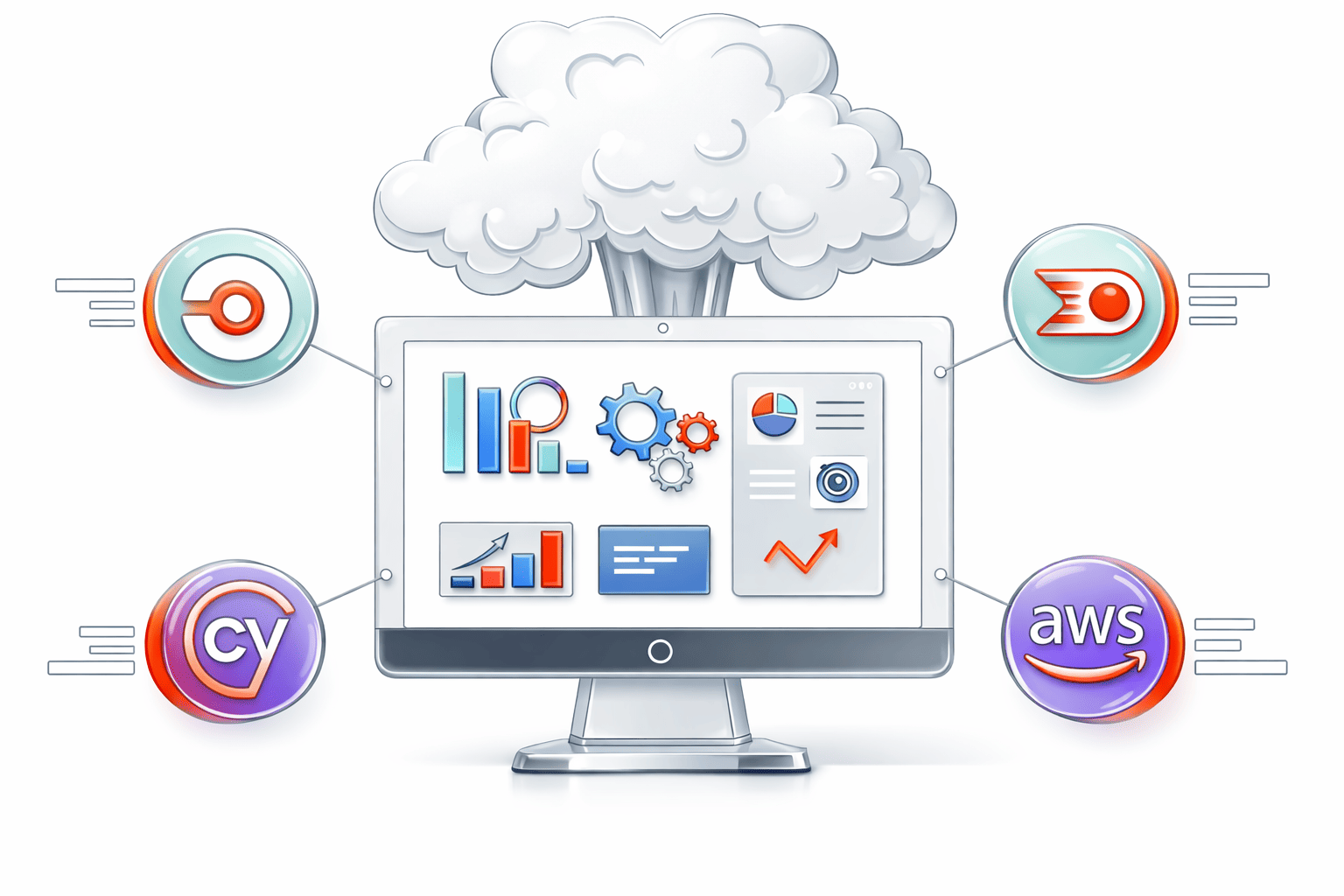
To defend software from growing bugs, smoke testing can take various forms. Some common smoke testing types that QA engineers and developers must be familiar with include:
- Manual smoke testing: testers execute a series of test cases manually.
Purpose: to verify core features when automation is unavailable or incomplete.
When to use: for early builds, during prototype validation, or when human subjective evaluations are necessary.
Typical scenarios: MVP development, UI/UX checks, and exploratory testing of new modules.
- Automated smoke testing: automated tools execute tests quickly and continually.
Purpose: to provide a fast, accurate, and repeatable build verification process.
When to use: in CI/CD pipelines, when rapid feedback is expected, and for projects with frequent builds.
Typical scenarios: Agile environments, large-scale systems, and continuous deployment workflows.
- Hybrid/fused smoke testing: combines automated tests with manual checks where necessary.
Purpose: to balance human judgement and speed.
When to use: in projects where automation is prevalent, but certain features still need manual review.
Typical scenarios: complex enterprise systems, apps with dynamic UI elements, and evolving products.
- Daily smoke testing: happens daily in projects with frequent builds and continuous integration.
Purpose: to ensure that each build meets underlying quality criteria.
When to use: in fast-paced development cycles where daily integrations occur.
Typical scenarios: Agile sprints, continuous integration steps, and multi-developer environments.
- Acceptance smoke testing: validates software builds against stakeholder‑defined acceptance criteria.
Purpose: to confirm that the system can withstand user acceptance testing.
When to use: before important milestones, demos, release candidates, and user acceptance testing phases.
Typical scenarios: pre-release validation, stakeholder demos, and staging deployment checks.
- UI smoke testing: focuses on verifying that UI components load and respond correctly.
Purpose: to ensure that users can access and interact with software screens and workflows.
When to use: after UI changes, front-end deployments, and interface redesigns.
Typical scenarios: web and mobile apps, e-commerce platforms, and customer portals.
Smoke Testing vs. Other Testing Types
Smoke testing is among the numerous approaches used in the development life cycle to ensure healthy and robust systems. While all testing types share the same goal of identifying bugs in the end product, all of them differ when it comes to objectives, scope, timing, and participants. In the table below, PFLB summarizes the key differences of smoke testing vs. sanity testing vs. regression vs. unit testing based on its hands-on work with clients:
| Testing type | Smoke | Sanity | Regression | Unit |
|---|---|---|---|---|
| Objective | To verify that a software build is stable | To check that specific fixes and changes work as intended | To ensure that new code changes don’t break the existing functionality | To validate individual functions or components in isolation |
| Scope | Broad yet shallow, covering only major paths | Narrow and focused on affected areas | Wide and deep, covering the entire system or its largest parts | Narrow and focused on separate parts of code |
| Timing | Performed after a new build has been designed | Conducted after minor fixes or changes | Executed upon significant code changes, enhancements, or before software releases | Performed during development |
| Participants | QA testers, DevOps engineers, developers | QA testers | QA teams, automation engineers | Developers |
Why Smoke Testing Is Important
Implementing software smoke testing in the engineering process is associated with the following benefits:
Early issue detection
QA engineers who use smoke tests can detect critical defects at the beginning of the development cycle. This reduces the complexity and cost of fixing them later and makes engineering faster and more consistent.
For example,
by conducting smoke testing, we helped our client from San Francisco evaluate its fitness app, identify and remove all bugs, and thus, significantly reduce time-to-market metrics.
Prevents wasted effort
Once a build fails a smoke test, testers don’t initiate deeper testing. An approach like this lets teams direct valuable time and resources toward verifying stable builds that are going to function properly. As a result, this adds to accelerated deployment and faster brings business perks like satisfied users, increased revenue, and stronger positioning in the market.
Time and cost savings
Early bug detection and rapid verification speed up the development life cycle and make it more cost-effective. Let us show this in practice.
By performing 150 smoke tests per day for a tech startup, the PFLB team helped the company reduce QA expenses by 30% and significantly expedite time-to-market.
Stakeholder confidence
A build that passes smoke tests ensures that the essentials of the system function appropriately and as intended. This gives stakeholders confidence and peace of mind that the development process is progressing as planned, and the product is ready for further checks.
Improved release quality
By stopping unstable builds from entering more complex evaluations, smoke testing reduces integration risks and increases the quality of the software. Teams that implemented a continuous smoke testing pipeline are reported to have 38% fewer production defects than crews that didn’t.
Performing Smoke Tests – Step‑by‑Step Guide
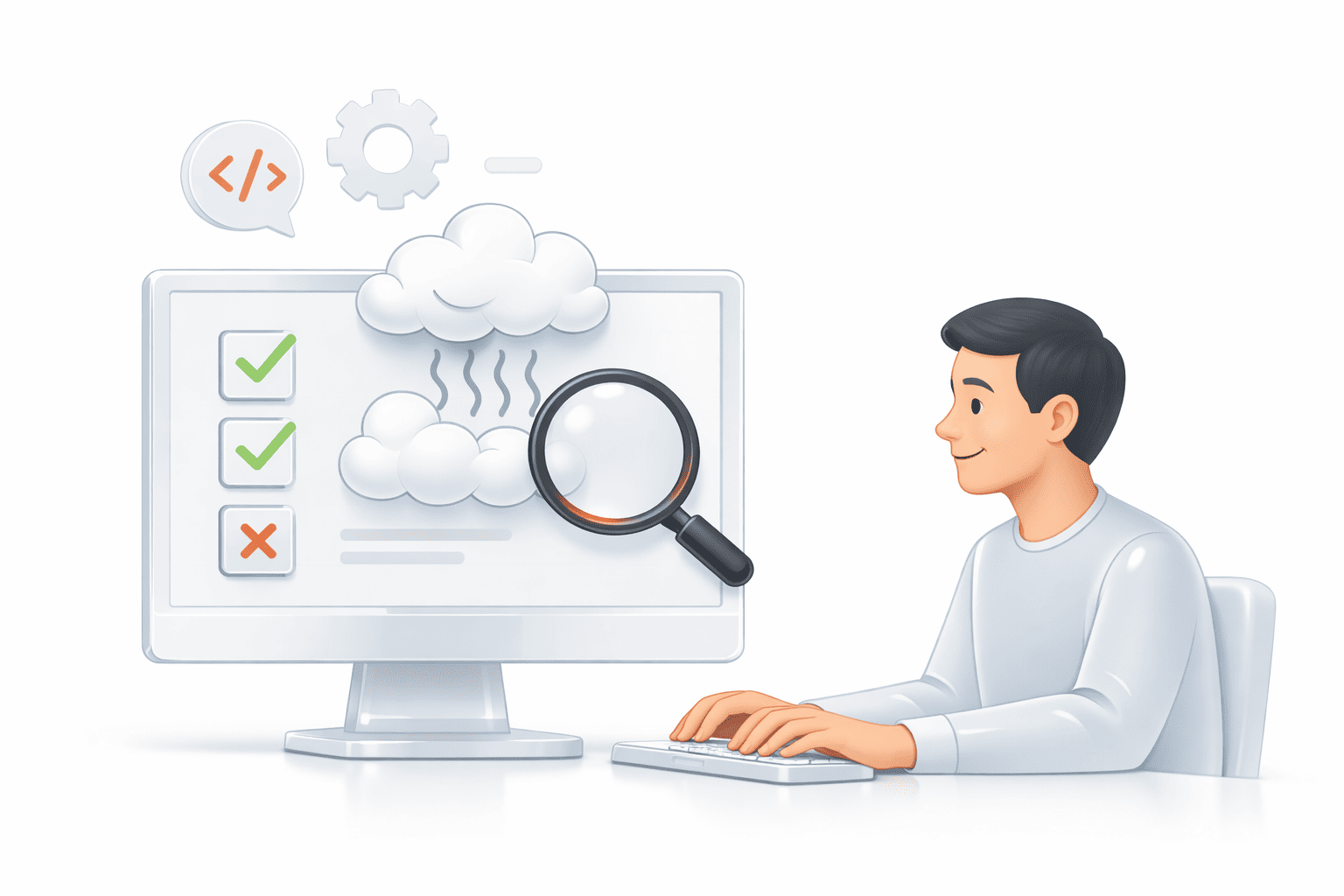
Despite the fact that smoke testing seems like a no-brainer, it’s a structured process that requires strategy and preparation. The smoke test steps performed by the PFLB team when working on relevant projects include:
Identifying scope and critical functions
We begin by determining the features that are top priorities for your app and users, and which ones can be excluded from the process. Typically, we focus on functionality, such as user authentication, basic navigation, core workflows, and system startup.
Creating or selecting test cases
Our team then compiles a minimal set of test cases that covers the critical functionalities we’ve identified earlier. When eliciting test cases, we prioritize high-usage and unsafe areas and ensure that tests are simple, stable, and can be executed repeatedly.
Setting up the test environment
We then set up the testing environment, ensuring that it mirrors production as closely as possible, especially when it comes to configurations, services, and dependencies. This helps us avoid incorrect results caused by a misconfigured environment rather than inherent bugs.
Executing smoke tests
Based on project requirements, we run tests manually or using automated tools and monitor the results for pass/fail status. A smoke test example for login functionality is as follows:
- Open the app login page.
- Enter a valid username and the correct password.
- Click the login button.
The expected result: the user is successfully logged in and redirected to the dashboard.
Failed if: the logging page doesn’t load, the system crashes, valid credentials are rejected, or the user isn’t redirected to the dashboard after the login.
Integrating smoke tests into a CI/CD pipeline
The PFLB’s QA team integrates tools like Jenkins, GitHub Actions, or GitLab CI to execute smoke validations continuously after a new build has been developed. This ensures ongoing delivery flows, automated verification, and faster issue detection.
Analyzing results and making decisions
Next, we review the results and decide whether further testing is applicable. If all tests pass, we proceed with more detailed validations; if not, our QA engineers report detected issues and halt the process until all bugs are eliminated.
Reporting and communicating
Finally, we document test outcomes with passed and failed cases and share the results with developers and business stakeholders to trigger quick issue resolution and plan the next steps.
Tools and Frameworks for Smoke Testing
Smoke testing can be greatly facilitated by specialized tools and frameworks. Our QA engineers have drawn on their practical expertise to share insights about the most helpful smoke testing tools. Bear in mind that the choice of a suitable solution depends on the type of app that requires testing — web, API, or mobile — and whether the tool can integrate with the technology stack used. Our list has been created based on the criteria, such as usage, purpose, and smoke testing benefits and limitations, and includes:
| Instrument | When to Use | Purpose | Benefits | Limitations |
|---|---|---|---|---|
| Selenium | Web apps, front-end testing | To automate browser-based smoke tests | – Supports multiple browsers and languages – Flexible for complex test cases – Widely adopted in enterprise environments | – Requires setup and maintenance – Slower for large test suites – More complex for beginners |
| Cypress | Modern web apps, front-end testing | To automate smoke tests for web apps | – Fast execution – Easy setup – Real-time reloads | – Limited browser support – Less flexible for multi-language projects |
| JUnit | Java back-end projects | To verify core functionality and host smoke tests in code | – Integrates with Java code – Fast execution – Supports automation | – Limited to Java projects – Can’t test UI or APIs directly |
| TestNG | Java back-end projects | To perform advanced unit testing and host smoke tests | – Supports parallel execution – Flexible annotations – Integrates with CI/CD | – Limited to Java projects – Complex setup |
| PyTest | Python back-end projects | To verify core functionality and host smoke tests in code | – Integrates with Python code – Easy to write tests – Fast execution | – Limited to Python projects – Can’t test UI directly |
| Postman | APIs and microservices | To verify critical API endpoints | – Easy to create and run API smoke tests – Supports automated and manual testing | – Limited UI testing – Scripting required for complex scenarios |
| Robot Framework | Cross-platform, multiple app types | To automate smoke tests across web, mobile, or desktop | – Flexible – Integrates with numerous libraries – Supports keyword-driven testing | – Has a steep learning curve – Setup can be complex for large systems |
| CI/CD Tools (Jenkins, GitLab CI/CD, GitHub Actions) | Continuous integration pipelines | To automate smoke test execution after each build | – Triggers continuous verification – Fast feedback – Prevents unstable builds from progressing | – Requires proper pipeline configuration – Debugging failed runs is tricky |
Best Practices and Recommendations
Modern smoke testing tools aren’t the only means that testers, developers, and DevOps engineers should rely on to conduct effective smoke tests. The smoke testing best practices that we describe below have been used by PFLB’s professionals for years to fortify the effectiveness of any related tool and guarantee a more manageable process and faster business outcomes:
- Keeping tests lightweight and fast lets teams get quicker feedback on whether a new build is stable and avoid unexpected delays.
- Prioritizing high‑risk areas helps focus only on vulnerable features that can halt further testing or disrupt usage.
- Automating smoke tests where feasible provides greater speed and repeatability, which is especially important for frequent builds.
- Running smoke tests regularly ensures that the frequency is adjusted to build schedules and the project’s level of risk.
- Maintaining and updating smoke test suites allows for tracking changes in critical features or workflows.
- Collaborating across teams of developers, testers, and DevOps engineers aligns their vision on which tests should make up the smoke suite and how to manage failures.
- Monitoring and analyzing results through dashboards and alerts helps detect failure patterns, track existing issues, and assess software stability over time.
Final Thoughts
Despite being a pretty straightforward process, smoke testing shouldn’t be underestimated in software development and QA pipelines, as it serves as the first line of defense against critical failures. Running smoke tests after every engineering cycle helps teams identify unnoticed defects early; save costs, valuable time, and human effort; and ensure overall build stability.
So, if you’re a QA engineer or tester, follow the practical tips shared by PFLB, a renowned provider of smoke and performance testing services, and confidently tackle any project.